Writing a CLAUDE.md That Actually Changes How Your AI Codes
How to write a project instruction file that reliably steers AI coding assistants toward your conventions — what to include, what to leave out, and how to test it works.

Every AI coding assistant has a way to load standing instructions for a project: Claude Code reads CLAUDE.md from the repo root, Cursor loads .cursorrules, Aider looks for .aider.conf.yml. The concept is the same across tools — a file that gets injected into every session so you stop repeating yourself.
Most developers write something in this file once, see a marginal improvement, and forget about it. The ones getting a real return on it are doing something different. They’re treating the file as a precision instrument, not a place to dump everything they’d want the model to know.
Why instruction files underdeliver for most teams
The failure mode is usually one of two things: too little or too much.
Too little is a file that lists your tech stack and nothing else. The model already knows what React and TypeScript mean — it doesn’t need you to tell it. What it doesn’t know is which patterns your team has standardized on and why, what decisions are already made, and what’s out of scope.
Too much is a file that becomes a wall of text covering every possible scenario. When everything is in the instruction file, the model doesn’t have a reliable way to distinguish the critical constraints from the optional preferences, and genuinely important rules get lost in the noise.
The instruction file earns its value by being a focused set of decisions the model can’t infer from reading your code — not a tutorial on your stack.
What actually belongs in it
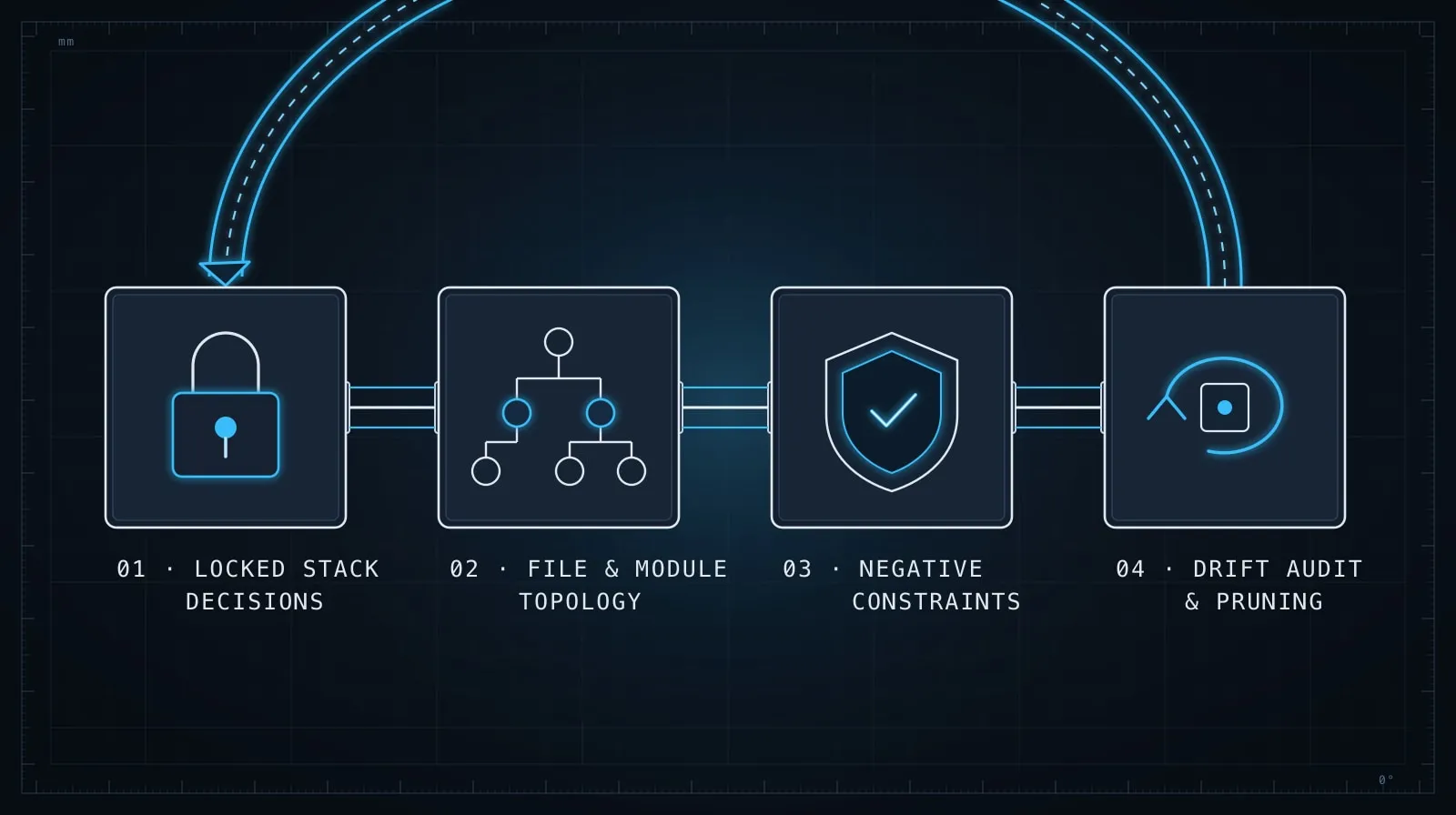
Structural conventions that aren’t obvious from the code. If all your route handlers live in src/app/api/**/route.ts and all database queries live in src/lib/db/*.ts, say that. The model will see some of your files, but it won’t always see enough of them to infer the pattern. Tell it where things go:
## File organization
- Route handlers: src/app/api/**/route.ts — no business logic in route files
- Database queries: src/lib/db/*.ts — no inline queries in routes or components
- Shared types: src/types/*.ts — imported from everywhere, never re-declared locally
Decisions that have already been made. If you’ve chosen Drizzle over Prisma, chosen React Query over SWR, chosen to not use class components — say so explicitly. The model will cheerfully suggest the alternative if nothing tells it the decision is closed.
## Already decided — don't propose alternatives
- ORM: Drizzle (no Prisma, no raw SQL in application code)
- Data fetching: React Query (no SWR, no built-in fetch wrappers)
- Auth: existing requireAuth() middleware — never bypass it
- State management: React context for global state, local state otherwise (no Zustand, no Redux)
The phrase “don’t propose alternatives” is not rudeness — it’s signal. It tells the model to treat these as axioms, not options.
Error handling contracts. If your API returns errors as { error: string } with appropriate HTTP status codes, write that down. If your frontend expects a specific shape, write that down. These conventions don’t always read clearly from code because they’re cross-cutting — you can’t point to a single file and say “this is the error contract.” But they matter enormously to correctness.
## Error handling
- API errors: { error: string } with the appropriate HTTP status (400, 401, 404, 500)
- Never throw raw errors from route handlers — always return a response
- Frontend: errors shown via the existing useToast() hook, not console.log
Testing approach. Where test files live, what framework is in use, what kind of tests you write and don’t write:
## Testing
- Framework: Vitest (not Jest)
- Test files: colocated with source — foo.ts → foo.test.ts
- Unit tests for pure functions and utilities
- Integration tests for API routes using the test DB fixture
- No E2E tests in this repo — those live in a separate test suite
What’s out of scope. This is the most underrated section. Explicitly listing things that are not to be done in this project prevents the model from doing them. If you don’t want new dependencies added without discussion, say that. If a specific feature is out of scope for this sprint, say that.
## Out of scope — do not implement
- Image uploads (no S3, no multipart)
- Email sending (handled by a separate service)
- New npm dependencies without explicit confirmation in the session
What doesn’t belong in it
Your full README or documentation. If it explains your stack choice or your company’s mission, it doesn’t belong in the instruction file. The model should be reading your code, not your docs.
Things the model can read from your files. If your tsconfig.json is strict, the model can see that. If your package.json lists your dependencies, the model can see that. Don’t re-list things that are already plainly expressed in the codebase.
Implementation details that change frequently. The instruction file is for stable conventions, not for the current state of a feature you’re actively building. If you find yourself updating a section every session, that content should be in your session prompt, not the file.
Vague preferences. “Write clean code” and “prefer simple solutions” are instructions the model ignores because it can’t act on them. “No nested ternaries in JSX” is actionable. “No inline styles — use Tailwind utility classes” is actionable. Specific and structural, not aesthetic and vague.
Formatting it so the constraints hold up
A single flat list of items tends to blur together as sessions grow long. Use headers to separate concerns, and put your hardest constraints — the ones where a violation costs the most — closest to the top.
Here’s a minimal template that works:
# Project conventions — [project name]

## Stack (read-only, already decided)
- Runtime: Node.js 22, TypeScript strict mode
- Framework: Next.js 15 App Router
- Database: Postgres via Drizzle ORM
- Auth: NextAuth.js v5

## File organization
- Route handlers: src/app/api/**/route.ts
- DB queries: src/lib/db/*.ts
- Shared types: src/types/index.ts

## Constraints
- No new dependencies without confirmation
- No raw SQL — use Drizzle query builder
- Errors: return { error: string } with HTTP status, never throw

## Testing
- Vitest, colocated test files
- Unit tests for utilities, integration tests for routes

## Out of scope
- S3 or file upload of any kind
- Sending email directly — use the notification service
Keep it under 40 lines. If it’s longer than that, you’re probably including things the model should be reading from your code.
Testing whether it’s actually working
The most direct test: start a fresh session, paste a task that touches something your instruction file covers, and check whether the model’s first suggestion aligns with your constraints before you’ve said anything else.
Some specific checks worth running:
# Test 1: Does it put files in the right places?
"Add a new API route for fetching user preferences"
→ Check: did it suggest src/app/api/preferences/route.ts?

# Test 2: Does it respect the ORM constraint?
"Write a query to get all active users"
→ Check: did it use Drizzle, or did it write raw SQL?

# Test 3: Does it follow the error contract?
"Add error handling to the profile update route"
→ Check: did it return { error: string } with the right status?
If the model consistently fails these checks in the first response, the relevant section isn’t landing. Usually the fix is moving that constraint higher in the file or making the language more direct: “use Drizzle query builder for all database access — never raw SQL” is clearer than “prefer Drizzle.”
Keeping it maintained
The instruction file is code. It gets stale, it drifts from reality, and outdated constraints cause confusion. A few habits that help:
When you make an architectural decision — pick a new testing library, standardize a new error format — update the file in the same commit. When a constraint becomes irrelevant — a feature ships, a pattern gets replaced — remove that line. A constraint that no longer applies is worse than no constraint at all, because it produces wrong suggestions.
Do a fast read of the file at the start of any major new feature. If anything in it would steer the model toward something you don’t want anymore, fix it before the session, not during it.
One pattern worth stealing: Some teams keep a
## Recently decidedsection at the top with a 2–3 item rolling list of fresh architectural choices. These are the constraints most at risk of being contradicted in early sessions because they haven’t made it into the codebase yet. After a few weeks, the choice is evident from the code and the entry gets dropped.
The right mental model
A CLAUDE.md file is not documentation for the model — it’s a decision log for the project. It answers the question a new contributor would ask: “What’s already been decided, and what should I not second-guess?” The model uses it the same way a sensible new hire would: as a guide to how things are done here, not as a rigid rulebook.
For the discipline that makes constraint-setting work across a full session — not just the first response — see Managing Context in Long AI Coding Sessions. And if you’re working on a multi-agent system where these conventions need to survive across several model calls and tool invocations, Task Decomposition for AI Coding Agents covers how to keep context consistent when work fans out across multiple steps.
The developers who get consistent, on-convention output from AI coding assistants aren’t the ones with the cleverest prompts in the moment. They’re the ones who did the upfront work to describe their project accurately so every session starts aligned.