Resolving Merge Conflicts with AI: How to Give the Model the Full Picture
How to structure AI-assisted merge conflict resolution — what context to provide, which conflict types AI handles well, and how to verify the result.
AI coding assistants can handle merge conflicts surprisingly well — but only when you give them more than just the conflict markers. The default approach of pasting in <<<<<<< HEAD blocks rarely works. The model sees two snippets of code but has no idea what either branch was trying to accomplish. It can pick one side or blend the syntax, but it can’t actually reason about intent.
The fix is treating conflict resolution like a debugging session: give the model the intent, not just the diff.
Why merge conflicts suit AI well
Conflict resolution has a structure that plays to AI strengths. You have two concrete pieces of code (the “ours” and “theirs” versions), a known common ancestor (the base commit), and a clear success criterion: the result should preserve the intent of both changes without breaking either.
The model is already good at synthesizing two approaches into one and at reasoning about what code is trying to do. The gap is that it usually only gets the conflict markers, stripped of the story behind each side. Closing that gap is what makes the difference.
What to share beyond the conflict markers
Running git diff during a merge shows you the conflict markers, but that’s not the context that actually helps. Here’s what does:
Show both commit messages
# What was your branch trying to do?
git log --oneline main..HEAD -5

# What was the incoming branch trying to do?
git log --oneline HEAD..origin/feature/user-permissions -5
Paste these with the conflict. “This side added rate limiting to all API routes” and “that side added a permissions middleware” tells the model exactly what synthesis is required, before it reads a single line of code.
Show the common ancestor
git show $(git merge-base HEAD MERGE_HEAD):src/middleware/index.tsSeeing the base version helps the model understand what each branch diverged from, not just where it ended up. For a conflict in a 200-line file, the model might not be able to tell which lines came from which side based on markers alone — the base makes divergence unambiguous.
Write a one-sentence goal
Don’t make the model infer the goal from the diff. Write it out:
Branch A (mine): Added JWT rate limiting — 100 req/min per token
Branch B (incoming): Added RBAC middleware — role checks before route handlers
Goal: Both should run, rate limiting before RBAC, no duplicate middleware calls
This is the single highest-leverage addition to a conflict resolution prompt. The model now has a design goal to synthesize toward, not just two pieces of code to reconcile.
The prompt structure that works
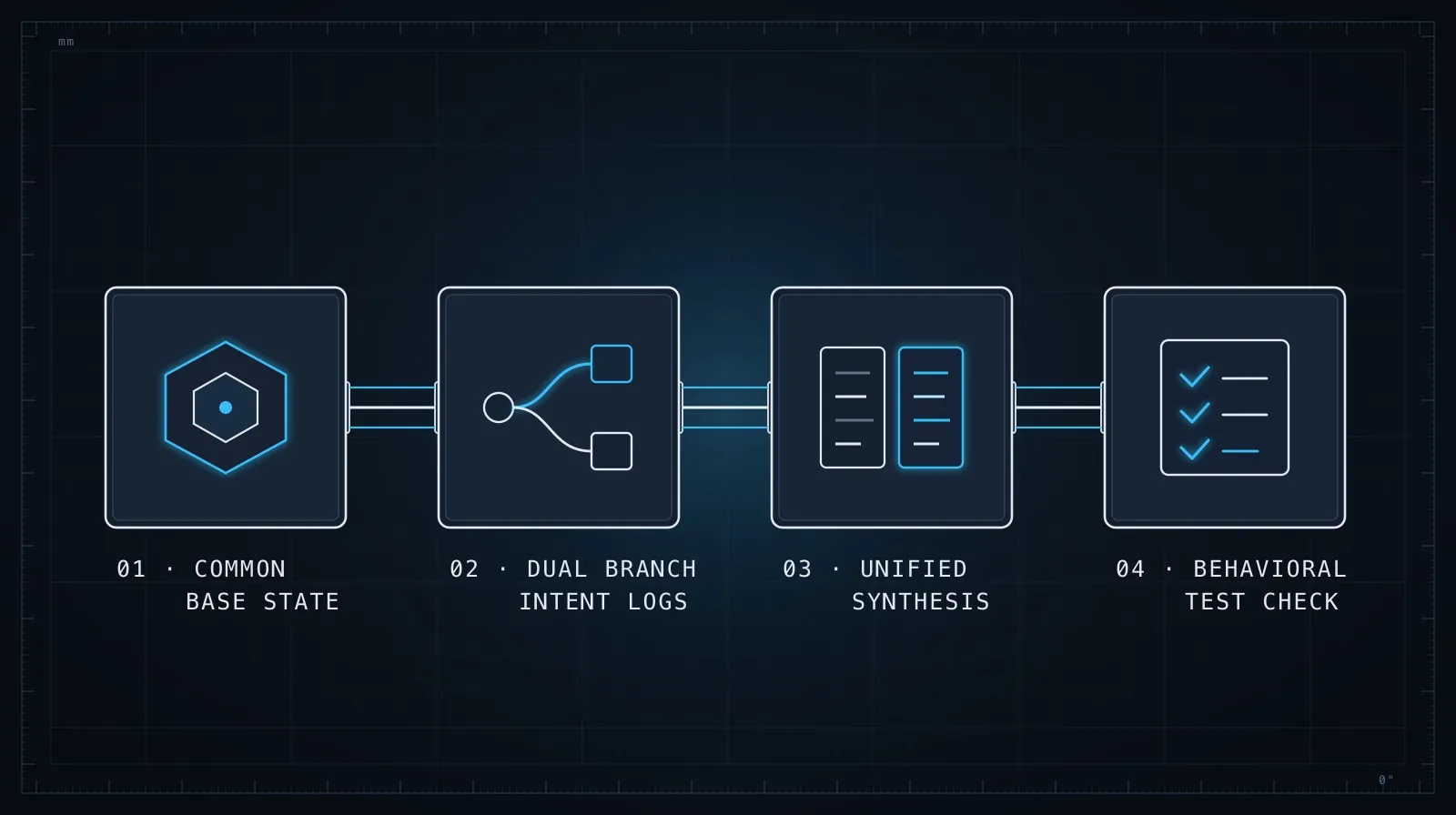
Putting it together:
## Merge conflict in src/middleware/index.ts

### What each branch was doing
- My branch (HEAD): [1-2 sentence description of intent]
- Incoming branch: [1-2 sentence description of intent]

### Base version (before both changes)
[paste: git show $(git merge-base HEAD MERGE_HEAD):path/to/file]

### Current conflict
[paste the conflict markers + ~15 lines of surrounding context on each side]

### What the resolved file should do
[be specific — which behaviors should both be present, ordering requirements, shared state]
This structure works well for conflicts in business logic, configuration, and type definitions. It does not work for generated files — those should be regenerated from tooling, not AI-synthesized from markers.
Types of conflicts where AI helps most
Not all conflicts are equal. AI handles some categories reliably:
Good fit:
- Business logic — two branches each add behavior to the same function and both need to run
- Configuration — two changes to the same config file each added different keys
- TypeScript interfaces — two branches each added fields to the same type definition
- Route handlers — two branches each modified the same endpoint for different reasons
- Test files — two branches each added tests to the same suite
Poor fit:
package-lock.json/yarn.lock/pnpm-lock.yaml— regenerate withnpm install/yarn install, don’t synthesize manually- Database migration files — if both branches added migrations with the same sequence number, resequence one; don’t blend the SQL
- Auto-generated code — protobuf outputs, GraphQL schema files, ORM migrations — regenerate from source
For poor-fit cases, the right instruction to the model is different: “Which version should I keep as the starting point, and what tool do I run to regenerate the rest?” That’s a coordination question, not a synthesis question.
An example: conflicting middleware stacks
Here’s what this looks like in practice. Suppose you have a conflict in an Express middleware setup:
// Base version
app.use(authMiddleware);
app.use(loggingMiddleware);

// <<<<<<< HEAD (your branch added rate limiting)
app.use(authMiddleware);
app.use(rateLimitMiddleware);
app.use(loggingMiddleware);
// =======
// incoming branch added RBAC
app.use(authMiddleware);
app.use(loggingMiddleware);
app.use(rbacMiddleware);
// >>>>>>> feature/rbac
Without context, a model might produce either version, or an arbitrary interleaving. With context:
My branch: Added rate limiting. It must run before route handlers but after auth,
because it needs the authenticated userId to enforce per-user limits.

Incoming branch: Added RBAC checks. They must run after auth (need the user's role)
and should run before route handlers.

Goal: Both middlewares present, order: auth → rate limiting → RBAC → routes.
Logging stays but its position doesn't matter for correctness.
Now the model produces the correct synthesis: auth → rate limiting → RBAC → logging → routes, with a brief explanation of why.
Verifying the resolution before committing
The most common error after AI-assisted conflict resolution is accepting a synthesis that compiles and passes type-checks but introduces a subtle logic error — one branch’s invariant silently dropped.
Before staging the resolution:
-
Read the diff against the base. Run
git diff HEADbefore staging. If you see large blocks of code that disappeared with no explanation, the synthesis went wrong somewhere. -
Run the tests for both changed areas. If branch A touched auth and branch B also touched auth, run the auth test suite immediately. Don’t wait for CI.
-
Check for duplicate behavior. AI sometimes resolves a conflict by including both implementations wrapped in slightly different conditions. Look for near-identical logic that would run twice.
# After resolving and staging:
git diff --staged src/middleware/index.ts
# Read it — does this look like a sensible unified change?
The same principle applies here as in Evaluating AI-Generated Code Before It Ships: the model produced something plausible, not something correct. The verification step is yours.
Conflicts in unfamiliar code
When the conflict is in code you didn’t write — a library, an inherited service, a module from another team — add a step before structuring the prompt: understand what the code was doing before either change.
git show $(git merge-base HEAD MERGE_HEAD):src/auth/session.tsRead the base version, or ask the model to explain it first. “Here’s the base version before either branch touched it — what is this code doing?” — then, once you have that mental model, present the conflict. A two-step approach is almost always faster than asking the model to understand the code and resolve the conflict simultaneously.
For systematically navigating code you’ve never seen, Exploring Unfamiliar Codebases with AI has the fuller playbook for that orientation work.
When to escalate to a human
Some conflicts shouldn’t be AI-resolved at all. If the conflict reflects a genuine design disagreement — one engineer wanted synchronous event handling, another wanted async — then the resolution requires a decision, not a synthesis. No context will help the model pick the right architectural direction; that belongs to the people who own the tradeoff.
Signs a conflict needs a human decision:
- Both approaches are fully functional but structurally incompatible
- The conflict is in a file that’s actively part of a design discussion
- You don’t understand why the incoming branch made the change it did
In these cases, don’t resolve — flag it. Leave the markers in, open a conversation with the branch author, and explain what you need to decide before merging. A conflict left as a conflict is better than a synthesis that buries a decision that needed to be made explicitly.
The pattern behind the pattern
What makes AI-assisted conflict resolution work is the same thing that makes any AI coding task work: you have context the model doesn’t. The conflict markers are the artifact of two engineers making changes with intentions the model can’t read from diffs alone. Your job is to translate those intentions into language, then let the model do the synthesis it’s well-suited for.
Give it the goal. Give it the base. Give it one sentence per branch. That three-part addition turns a guess into a reasoned synthesis — and makes the verification step something you can actually reason about rather than just hope for.