Using AI to Explore Unfamiliar Codebases
How to use AI coding assistants as a guide when navigating code you didn't write — from getting an architectural overview to tracing execution paths.

Starting a new codebase is disorienting. Whether it’s your first week at a company, a library you’re contributing to, or a service you’re debugging that you’ve never seen before — you’re facing tens of thousands of lines with no map. AI coding assistants change this. Instead of slowly piecing together a mental model through trial and error, you can ask questions directly and get oriented in a fraction of the time.
But the quality of the answer depends entirely on the quality of the question. Here’s how to use AI effectively as a code guide.
Orient with a high-level overview before diving into specifics
The worst thing you can do with an unfamiliar codebase is open a random file and start reading. AI is equally bad at this — give it a random file and ask “what does this do?” and you’ll get a technically accurate but practically useless answer.
Start with structure instead. Give the model a directory tree and the package manifest, and ask for the big picture:
I'm new to this codebase. Here's the directory structure and package.json:

[tree output]
[package.json contents]

Before I dive in, explain:
1. What does this application do at a high level?
2. What is each top-level directory responsible for?
3. Where would I start reading to understand how a request flows through the system?
This gives you a map before you’re inside the territory. The model’s answer is a hypothesis — you’ll refine it as you read more — but it gives you an organizing framework that makes subsequent reading much faster.
One practical detail: run tree -L 2 --gitignore to get a compact two-level structure. A full recursive tree of a large project is mostly noise.
Ask about behavior, not syntax
Developers new to AI code assistance often ask “explain this function” — which produces a line-by-line walk-through of what the function does. That’s rarely what you need. You need to know why it exists, when it runs, and what depends on it.
Frame questions around behavior:
# Less useful
Explain this function.

# More useful
This function is called validateSession(). When does it get called in the
request lifecycle? What happens downstream if it throws? What is it
protecting against that isn't obvious from reading the code alone?
The second question forces the model to reason about context, not just syntax. If you’ve also given it the route handlers and middleware stack, it can trace the call flow. If you haven’t, it’ll tell you what context it’s missing — which is useful too.
Trace a specific workflow end-to-end
The fastest way to understand an unfamiliar system is to trace a single, concrete workflow through it. Pick something specific — a login, a payment, an API request — and ask the model to walk through it:
Here are the route handlers in src/routes/, the middleware stack in
src/middleware/, and the database models in src/models/.

Walk me through what happens when a user posts to /api/auth/login. Be
specific about which files and functions are involved, in what order,
and what state is being read or written at each step.
This kind of question is where AI assistance is genuinely faster than solo reading. A human following this trace needs to jump between five files and hold intermediate state in their head. The model can hold all five files in context simultaneously and narrate the path through them.
Give the model the right set of files. Too few and it’ll have to make inferences; too many and the signal gets diluted. For a single workflow trace, the relevant route file, middleware, service layer, and one or two models is typically enough.
Decode opaque or legacy code
Legacy code is often written in idioms that made sense in their original context but are puzzling now — Java-style factories in Python, callback chains that predate async/await, macros that predate generics. AI is excellent at translating these into plain language.
This code is from 2014 and uses a callback pattern I'm not familiar with.
Before I change it, I want to understand what it's doing:

[code block]

Explain what this code does, why it's structured this way (what pattern
or constraint led to this design), and what a modern equivalent would
look like. Don't rewrite it — just explain it.
The “don’t rewrite it” instruction matters. Without it, the model often jumps straight to a refactored version, which buries the explanation of what the original was doing. You want understanding first, refactoring later — that workflow is covered in Refactoring with AI.
Build your mental model incrementally
Resist the urge to share the entire codebase at once. AI assistants have limited context windows, and more importantly, you don’t yet know which parts of the codebase are important. Start with the core and expand.
A practical sequence for a backend service:
- Entry point first — the main file, the router, the request handler. What does the application do?
- Add one layer — the service or business logic. Where does the actual work happen?
- Add data access — the models or repository layer. What’s being persisted?
- Add auth and middleware — the security boundary. What does every request pass through?
At each step, ask the model to update your mental model: “Given what we’ve discussed, revise your understanding of how this application is structured.” This produces a coherent picture rather than a disconnected set of file explanations.
This layered approach also keeps the context manageable. Starting with just the entry point means you’re having a focused conversation about routing and startup. By the time you add the data layer, the model has a frame to fit it into — and so do you.
Know the limits: AI can be confidently wrong
AI-generated explanations of code are hypotheses, not facts. The model is reading static text. It can’t run the code, query the database, or observe runtime behavior. It will sometimes misread an abstraction, confuse a variable name for a meaningful concept, or apply a pattern from a similar codebase that doesn’t actually apply here.
The most common failure mode is confident explanation of code with a subtle runtime dependency. The model sees user.roles.includes('admin') and explains access control correctly — but doesn’t know that roles is populated lazily and is empty on the first call, which is precisely the bug you’re investigating.
Three ways to validate the model’s explanation:
- Check against the tests. If the codebase has good tests, they’re the ground truth. If the model’s explanation of a function doesn’t match what the tests are asserting, trust the tests.
- Check against the git log.
git log --oneline -20 src/path/to/file.tsshows recent history. A file heavily modified during an incident carries context that changes how you read it. - Check against the docs or comments. Not always present, but when they exist they often capture intent that isn’t visible in the code.
When the model contradicts a test, feed that back explicitly: “The test for this function asserts it returns null when user is undefined, but your explanation says it throws. Which is correct?” This forces a re-read and typically produces a more careful answer.
Where I got burned — Josh: In my first week on a new codebase I asked the assistant to explain an access-control check, and it gave me a clean, confident answer about how
rolesgated admin actions. It was wrong in the one way that mattered:roleswas populated lazily and came back empty on the first call — which was the exact bug I’d been chasing for two days. The model was reading static text; it had no way to see the runtime behavior. I check its explanations against the tests reflexively now.
A practical first-hour workflow
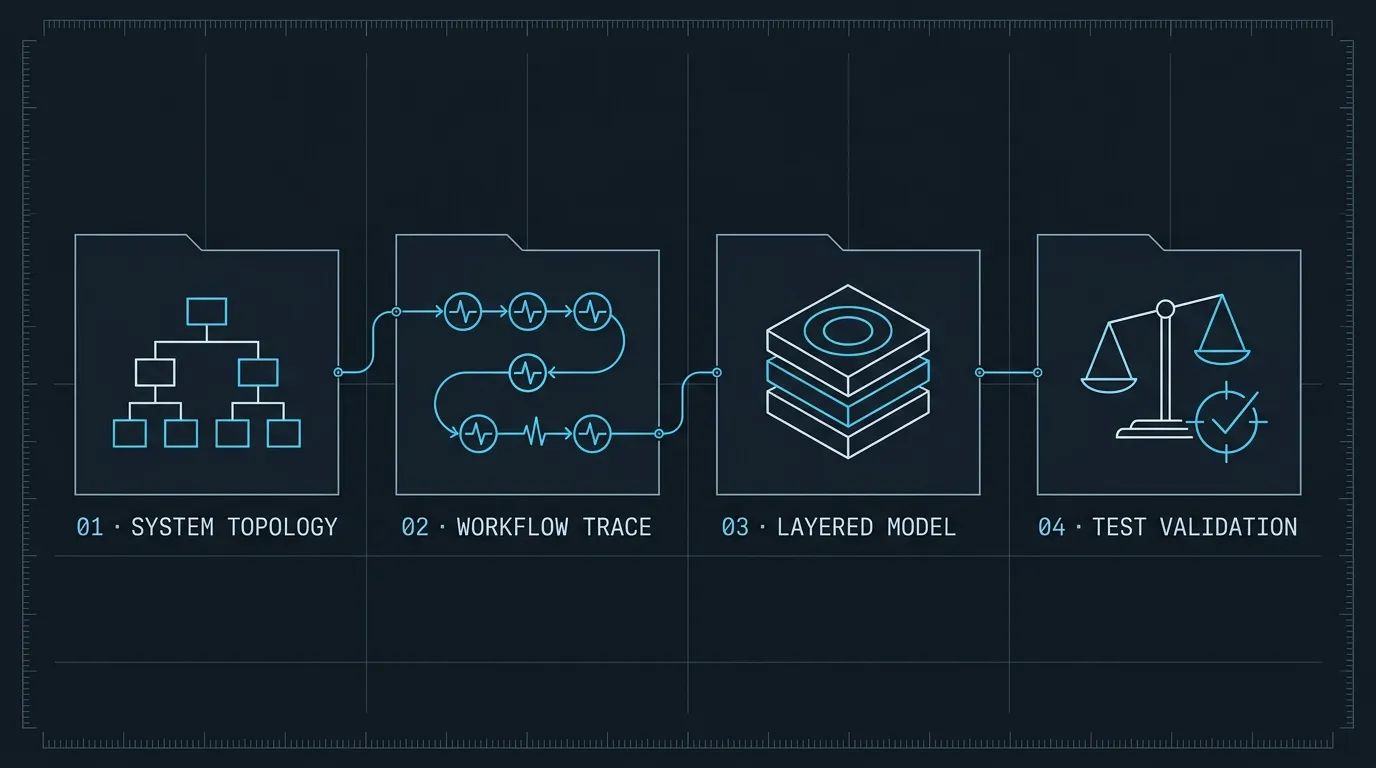
This sequence consistently produces a working mental model within an hour:
Minutes 1–5: Get the map. Run tree -L 2 --gitignore and pull package.json. Ask the model for an architectural overview — what the application does, how it’s organized, where to start reading.
Minutes 5–25: Trace the core workflows. Identify the two or three most important workflows in the application. For each one, share the relevant files and ask the model to trace a concrete request end-to-end.
Minutes 25–40: Decode the hard parts. Find the files that look most opaque — big files, unusual patterns, lots of comments warning you away. Use the model to translate them.
Minutes 40–60: Validate against tests. Read the tests for the parts of the system you care most about. Where the tests contradict the model’s explanation, adjust your mental model accordingly.
By the end of this hour, you’ll have a mental model that would have taken a day of solo reading to build. The model doesn’t understand the codebase — you do, because you asked the right questions and checked the answers. That distinction matters. The model is a guide; you’re the one navigating.
The questions are the skill
Using AI to understand code isn’t passive. It requires knowing what questions to ask, in what order, and what to validate. “Explain this file” is not a question; “trace the execution path from this entry point to the database, and tell me what can fail” is.
The developers who use AI most effectively for exploration are the ones who already have strong instincts about how systems are organized — they use AI to confirm or update those instincts faster than reading alone would allow. The better you get at asking precise behavioral questions, the faster the model can make you productive in unfamiliar territory.
For keeping these exploration sessions well-organized and avoiding context drift as they run long, Managing Context in Long AI Coding Sessions covers exactly when to segment, reset, and checkpoint a conversation so the model stays accurate across an extended session.