AI for Shell Scripts: Getting Safe, Correct Bash from an LLM
How to prompt AI for shell scripts that handle errors, edge cases, and environment differences — and how to validate the output before you trust it.
Shell scripting is one of the most deceptive areas of AI-generated code. The model produces something that looks entirely correct, you run it in your dev environment, it works, and you commit it. Then it silently skips half its work on a coworker’s machine, or quietly deletes files it shouldn’t touch on a CI runner with a slightly different directory layout.
The problem isn’t that AI is bad at shell scripting — it has seen enough bash to understand what you’re trying to do. The problem is that shell has a huge surface area of subtle behaviors: unquoted variable expansion, how pipelines propagate exit codes, what set -e does and doesn’t catch, the difference between [ ] and [[ ]], how cd interacts with symlinks. A model that generates code based on what looks plausible will produce scripts that look right but fail in specific circumstances you didn’t test for.
A few targeted habits change this from a liability into a strength.
Start by specifying safety requirements, not just the task
Most shell script prompts describe what the script should do but nothing about how it should fail. That omission is where problems come from.
Before describing the task, lead with your safety requirements:
Write a bash script that deploys a build artifact to /var/www/app.

Requirements:
- Fail immediately on any error: use set -euo pipefail
- Quote all variable expansions
- Check that required variables and paths exist before doing anything
- Print each major step to stderr so the caller can see progress
- Be idempotent — safe to run twice without corrupting state
Giving the model constraints upfront produces much better output than asking for revisions later. The model will treat your requirements list as a spec and honor it systematically — the same way it honors a type signature when you provide one. A bare “write me a deploy script” produces the happy path; a constrained prompt produces something closer to production-ready.
The four properties worth asking for every time
set -euo pipefail
This is the baseline for safe scripts. Ask for it explicitly, every time, because the model won’t always add it unprompted.
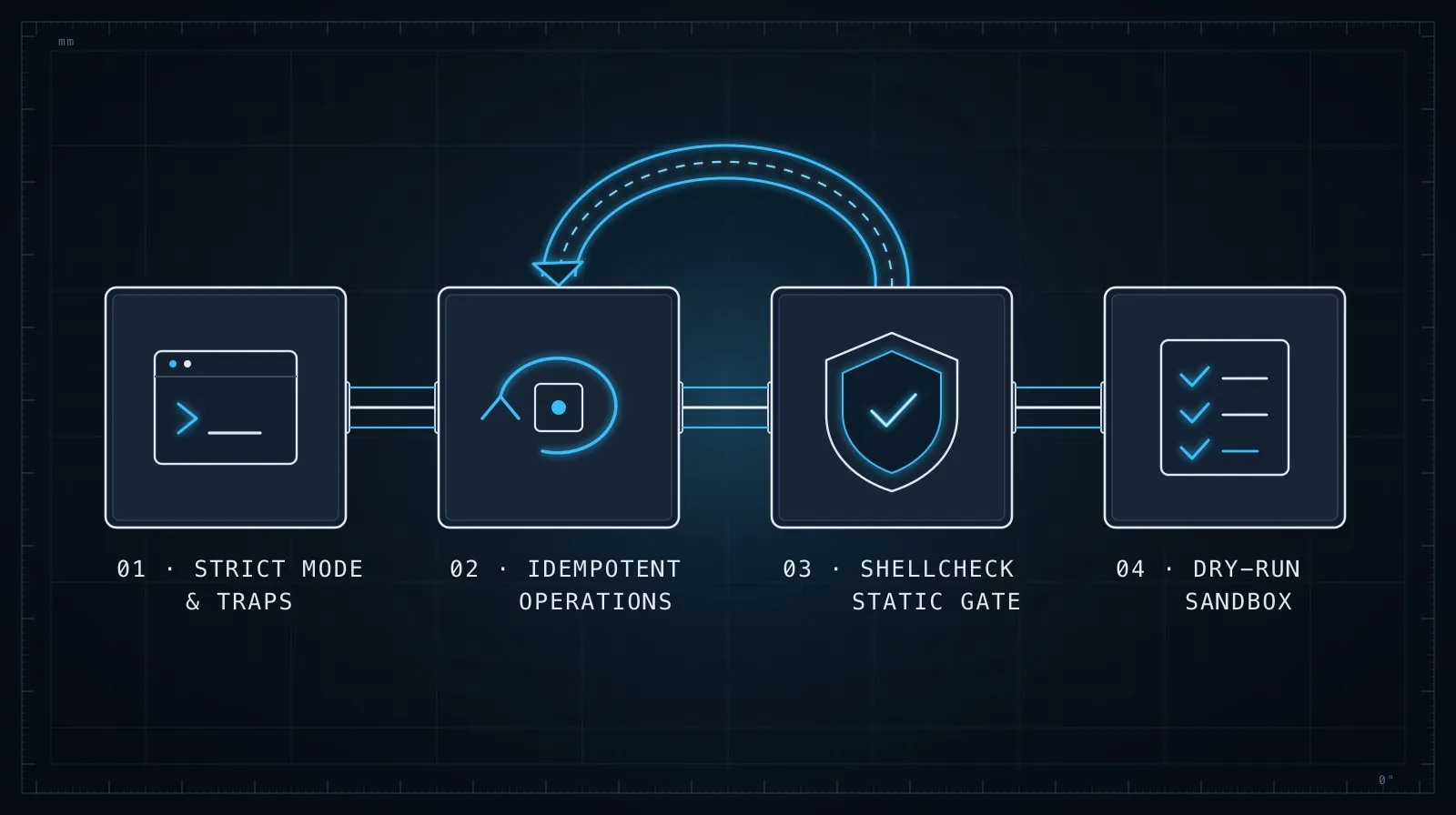
set -e: exit immediately if any command returns a non-zero statusset -u: treat unset variables as errorsset -o pipefail: return the exit code of the first failing command in a pipeline, not the last
Without pipefail, grep pattern /some/file | wc -l exits 0 even when grep finds nothing, because wc -l succeeded. This class of silent failure is exactly what AI-generated scripts miss when left to default behavior.
Explicit variable quoting
Unquoted variables are the source of a disproportionate share of shell bugs:
# Fragile: breaks if $DEPLOY_DIR contains spaces or glob characters
rm -rf $DEPLOY_DIR/old

# Correct: always quote
rm -rf "$DEPLOY_DIR/old"
Ask for quotes explicitly: “quote all variable expansions.” The model knows to do this but won’t always apply it consistently when it’s generating quickly.
Guard clauses before side effects
Any script that modifies files, starts services, or talks to a network should verify its preconditions before it does anything:
# Ask the model to include guards like this
: "${DEPLOY_DIR:?DEPLOY_DIR must be set}"
: "${BUILD_ID:?BUILD_ID must be set}"

[[ -d "$DEPLOY_DIR" ]] || { echo "DEPLOY_DIR does not exist: $DEPLOY_DIR" >&2; exit 1; }
[[ -f "$ARTIFACT" ]] || { echo "Artifact not found: $ARTIFACT" >&2; exit 1; }
The ${VAR:?message} pattern is particularly useful — it exits with a descriptive error if the variable is empty or unset, which is much clearer than a confusing error three steps later.
Idempotency
Scripts that run in CI or as part of deployment pipelines get re-run. Ask for idempotency explicitly: “this script should produce the same result whether it’s run once or three times.”
For file operations, that means checking existence before creating:
# Not idempotent — fails on second run if dir exists
mkdir "$TARGET_DIR"

# Idempotent
mkdir -p "$TARGET_DIR"
For service management, that means checking state before acting. The model understands idempotency as a concept — giving it the word is usually enough for it to apply it throughout the output.
Validate the output with ShellCheck
ShellCheck is a static analysis tool for shell scripts that catches exactly the class of problems AI-generated scripts produce. Run it on any generated script before committing it.
# Install
brew install shellcheck    # macOS
apt-get install shellcheck # Debian/Ubuntu

# Run
shellcheck deploy.sh
ShellCheck will flag unquoted variables, unreachable code, subshell scope issues, and dozens of other patterns that look fine to a human reader but behave incorrectly at runtime. Copy any ShellCheck warnings back to the model with the full error message and line context — it corrects them accurately when given concrete diagnostic output rather than a vague complaint.
If ShellCheck flags something you disagree with, ask the model to explain the warning before dismissing it. ShellCheck’s warnings are almost always right, and understanding why it flagged something teaches you something about shell behavior you might not have known.
Be explicit about environment assumptions
Shell scripts often break not because the logic is wrong but because the environment differs from what the author expected: bash versus sh, macOS sed versus GNU sed, /usr/local/bin not in PATH, or a locale setting that affects sort order or string comparison.
Tell the model what environment the script will run in:
This script runs on Ubuntu 24.04 in a GitHub Actions runner. It can
assume bash 5.x and GNU coreutils. It does not need to support macOS
or Alpine.
If the script needs to be cross-platform, say that explicitly too — the model will choose POSIX-compatible constructs over bash-specific extensions when you ask it to, but it won’t make that tradeoff unprompted.
Test edge cases before you trust it
The model tests the script mentally against the happy path when it writes it. Your job is to think of what happens when things go wrong. A few edge cases worth checking for any script that touches the filesystem or network:
- What happens if a required directory doesn’t exist?
- What happens if the script is interrupted halfway through?
- What happens if a target file is already in use?
- What happens if it runs with restricted permissions?
- What happens with filenames containing spaces or special characters?
You don’t need to write a full test suite — just run the script manually in a safe environment with these conditions and check that it fails clearly rather than silently. If it fails poorly, paste the output back to the model and ask it to handle that case.
When the script is wrong, be specific about why
When a generated script misbehaves, vague corrections produce vague results:
Weak:
The script isn't working correctly, please fix it.Strong:
On line 24, when DEPLOY_DIR contains a trailing slash, the rsync command
produces "destination path '/var/www/app//build' is invalid". The fix is
to strip trailing slashes from DEPLOY_DIR when it's set:

  DEPLOY_DIR="${DEPLOY_DIR%/}"

Please apply that fix and check if the same issue affects any other
path variables in the script.
Shell failures are often cryptic. Your value is providing the concrete error output and the environment context the model doesn’t have. Give it the full error, the line that produced it, and the input that triggered it — the correction will be accurate rather than speculative. This is the same principle as Debugging with LLMs: the model reasons over what you give it, so the quality of the correction is proportional to the quality of the failure description.
A prompt template that produces reliable scripts
Here is a starting template worth keeping around:
Write a bash script that [describe the task].

Environment: [describe the target OS, bash version, available tools]

Requirements:
- set -euo pipefail at the top
- Quote all variable expansions
- Accept configuration via environment variables, not hardcoded values
- Validate required env vars and paths exist before any side effects
- Print progress to stderr; only print meaningful output to stdout
- Be idempotent — safe to run twice
- [any task-specific constraints]

Do not add comments that explain obvious bash syntax — only comment
non-obvious choices.
Adjust for the task. The key insight is front-loading the constraints so the model generates them throughout the script rather than bolting on error handling at the end, where it tends to be incomplete.
The right mental model
AI generates shell scripts the way a competent programmer would write a first draft from memory — structurally sound, logically coherent, but lacking the defensive paranoia that comes from having debugged shell failures in production. Your role is to bring that paranoia to the prompt upfront, validate the output with tools that check what your eyes miss, and test at the edges.
Shell is unforgiving precisely because it’s so widely used as glue — between systems, between environments, between people with different assumptions. A script that works locally and silently fails in CI is worse than a script that fails loudly from the start. Ask the model to be loud about failure and specific about requirements, and it will be.
For managing the context across a longer automation project — when your scripts reference shared variables, paths, and conventions that need to stay consistent across multiple files — Managing Context in Long AI Coding Sessions covers how to keep the model aligned across an extended session.