Multi-Model AI Coding Workflows: Routing Tasks to the Right Model
Most developers default to one model for everything. Here's a practical framework for matching each coding task to the right model — cutting costs without sacrificing quality.

Most developers settle into a single model for everything: one default in their editor, one API key, one capability level applied uniformly across every task. This works, but it leaves a lot on the table in both directions. Using a heavyweight model to rename a variable is overkill. Using a lightweight model to reason through a distributed systems bug is undershooting. The better approach is deliberate routing — matching the task to the model that handles it well.
This isn’t about being cheap. It’s about recognizing that model capability and model speed are in tension, and that different tasks sit at different points on that tradeoff.
The tradeoff you’re actually managing
Larger, more capable models reason better across longer contexts, handle ambiguous tasks, and produce more consistent output on complex problems. They’re also slower and more expensive per token. Smaller, faster models are excellent at well-defined tasks, return results quickly, and cost much less per call — but they struggle with multi-step reasoning and tend to hallucinate more in unfamiliar territory.
Neither is universally better. A task that’s clearly specified, small in scope, and verifiable at a glance is a perfect fit for a fast model. A task that requires reasoning about multiple constraints, unfamiliar code, or architectural tradeoffs belongs on a capable model.
The mistake isn’t using one kind of model — it’s not thinking about which kind applies to the work at hand.
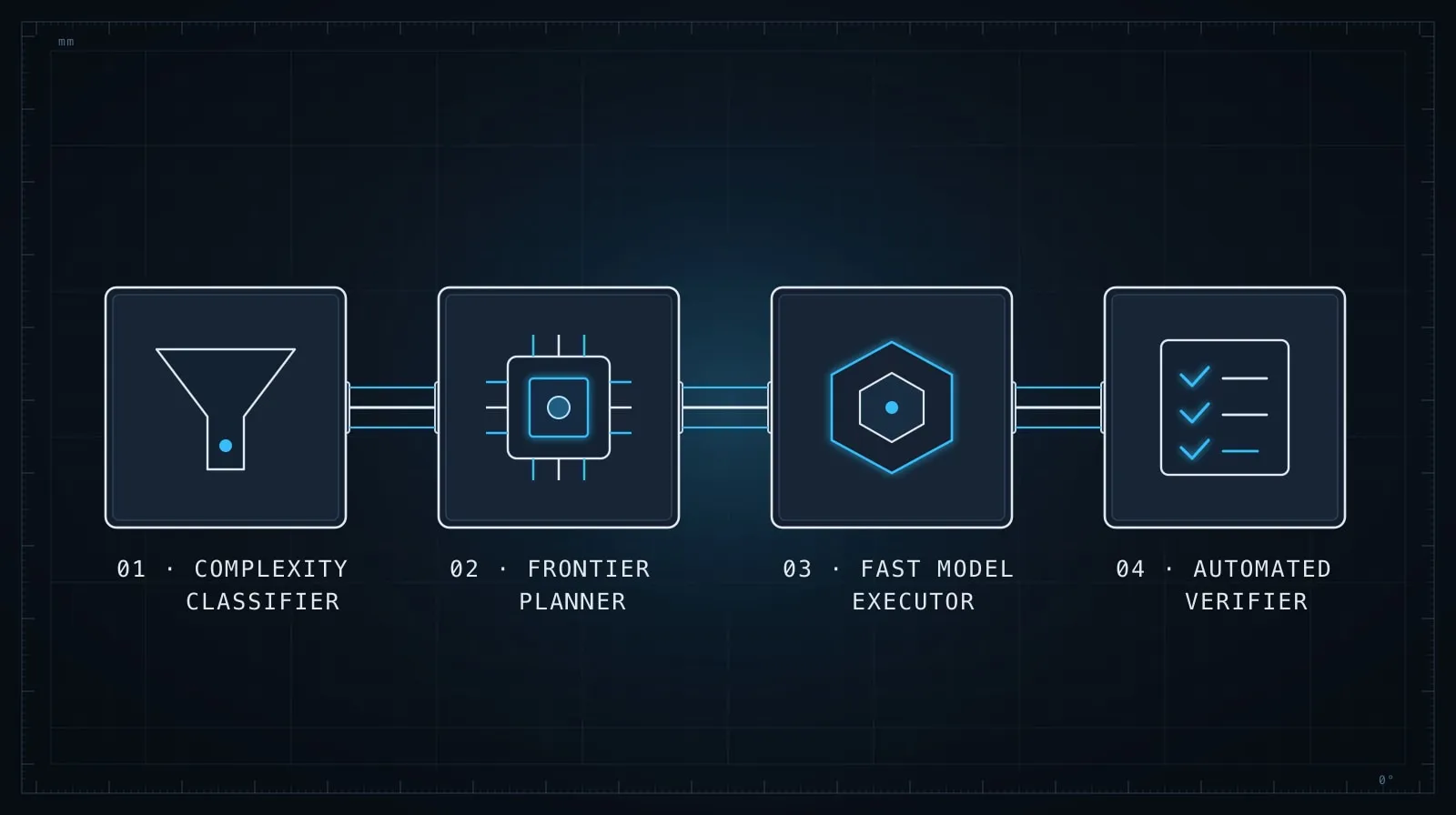
Tasks that fast models handle well
Fast models — like Claude Haiku — shine on tasks where the correct output is narrow, the input is complete, and you can verify the result in seconds.
Boilerplate generation. Generating a standard CRUD route handler, a migration file for a single-column addition, a simple React component that wraps a UI primitive. These have a small space of correct outputs and don’t require reasoning about tradeoffs.
Format and transform. Converting a list of values to a different format, renaming identifiers, converting callback-style code to async/await when the structure is straightforward, generating a type from a JSON object.
Docstring and comment generation. Writing a one-line docstring for a function whose implementation is already clear. Generating JSDoc for a typed function where the types are already self-explanatory.
Single-file changes from a precise spec. When you’ve given an exact file, an exact change, and a verifiable exit condition — “add a disabled prop to this component and wire it to the button’s disabled attribute” — a fast model can handle it reliably.
The pattern: the task has a small solution space and you can verify correctness at a glance without deep inspection.
Tasks that require a capable model
More capable models — like Claude Sonnet or Opus — are worth the cost when the task requires holding multiple constraints in tension, reasoning over unfamiliar code, or making decisions that cascade across files.
Debugging across multiple files. When a bug spans several layers — a request goes in, something happens in middleware, the wrong value ends up in the database — the model needs to reason about causality across a larger context. Fast models tend to jump to surface-level fixes here.
Architecture and design decisions. “Should this be a separate service or stay in the monolith?”, “What’s the right abstraction boundary here?” — these require weighing tradeoffs the model hasn’t been told about. You need the model to reason, not pattern-match.
Code review for correctness. Not style review — real correctness review. Whether a piece of logic handles all edge cases, whether an auth check is actually secure, whether a race condition is possible. Fast models pattern-match to “looks right.” Capable models actually reason about what the code does.
Reasoning about unfamiliar libraries or APIs. When you’re using a library the model knows well, fast models work fine. When you’re using something niche or recent, you need a model that can reason about what it doesn’t know and ask the right questions rather than fabricating plausible-looking usage.
Generating a decomposition plan. Before you run an agent loop, generating the task list itself — deciding how to break a feature into sequenced agent-sized sub-tasks — requires reasoning about dependencies and boundaries that a fast model will oversimplify.
A concrete routing pattern in code
If you’re building an AI-assisted coding workflow with the Anthropic SDK, you can make routing explicit:
import Anthropic from "@anthropic-ai/sdk";

const client = new Anthropic();

type TaskKind = "boilerplate" | "format" | "debug" | "review" | "design";

function modelForTask(kind: TaskKind): string {
  switch (kind) {
    case "boilerplate":
    case "format":
      return "claude-haiku-4-5-20251001";
    case "debug":
    case "review":
    case "design":
      return "claude-sonnet-5";
  }
}

async function runCodingTask(kind: TaskKind, prompt: string) {
  const model = modelForTask(kind);
  const response = await client.messages.create({
    model,
    max_tokens: kind === "boilerplate" || kind === "format" ? 1024 : 4096,
    messages: [{ role: "user", content: prompt }],
  });
  return response.content[0].text;
}

// Fast model: generating a migration for a simple column addition
const migration = await runCodingTask(
  "boilerplate",
  "Generate a Drizzle migration to add a nullable `deletedAt` timestamp column to the `posts` table."
);

// Capable model: reasoning about why a query returns wrong results
const analysis = await runCodingTask(
  "debug",
  `This query returns duplicate rows when a user has multiple roles.
  Schema: ${schemaContext}
  Query: ${queryContext}
  What's wrong and how should it be fixed?`
);
The routing logic doesn’t have to be sophisticated. A simple map from task kind to model ID is enough. The discipline is in deciding which bucket a task falls into before you run it.
Routing in interactive tools
If you’re using Claude Code directly rather than building a workflow, model routing shows up in how you structure your sessions.
For Claude Code, the /fast command toggles fast mode for the session — use it when you’ve decomposed a feature to the point where each remaining task is well-defined and verifiable. Turn it off when you hit a task that requires reasoning across the full codebase or making a design decision.
The pattern: use capable models for exploration and planning, switch to faster models for execution. A session that starts with “figure out why this is broken” is a reasoning task; a session that starts with “implement this precise spec across these three files” is an execution task. The two calls for different model characteristics.
Decomposition makes routing easier
The connection to task decomposition is direct. A well-decomposed feature — broken into tasks with single outputs, explicit file scopes, and verifiable exit conditions — makes model routing straightforward. Each task is either a reasoning task or an execution task, and that determination is already done by the decomposition step.
When tasks are underspecified (“make the auth work”), everything looks like a reasoning task because the model has to figure out what “work” means. When tasks are precise (“add the requireRole('admin') middleware call to the three routes listed below”), execution tasks are obvious, and you can route them confidently.
For the decomposition approach that makes this work, see Task Decomposition for AI Coding Agents. The decomposed tasks become the inputs to your routing decision.
Context window size is also a routing signal
One practical consideration: fast models typically have smaller context windows, which matters when you’re feeding in large files or multiple files at once. If a task requires the model to hold four files in context simultaneously, check the context limits of the model you’re routing to before sending.
This is another reason the “one model for everything” default often ends up being a capable model — it handles the edge cases where context is large, and developers don’t want to think about it. The cost of that convenience is spending capable-model rates on tasks that don’t need capable-model reasoning.
The right context management approach reduces this problem: send only what the task actually needs. Managing Context in Long AI Coding Sessions covers how to scope what you give the model — the same discipline that improves output quality also reduces context size, which widens the set of tasks you can route to faster models.
The practical upside
The economics are meaningful. Capable models can cost 10–20× more per token than fast models at the high end of the capability spectrum. On a workflow that handles many small tasks daily — boilerplate generation, format transforms, simple completions — routing those to a fast model while reserving capable models for reasoning-heavy tasks produces substantial cost reduction with no quality loss on the tasks that matter.
The quality upside is the less obvious benefit: using the right tool for the job. When you route reasoning tasks to capable models, you get better reasoning than you’d get from a fast model on the same task. The upgrade isn’t just efficiency — it’s fit.
Start simple: categorize your next ten coding tasks as either “execution” (verifiable, narrow, well-specified) or “reasoning” (multi-constraint, unfamiliar, open-ended), and try running each category on the model that fits. The difference in output quality — and the cost difference — will make the routing decision obvious.