Using AI to Review Your Own Code Before It Ships
How to use AI coding assistants as a first-pass code reviewer — prompting for real feedback on code you wrote, interpreting what it finds, and fitting it into your workflow.
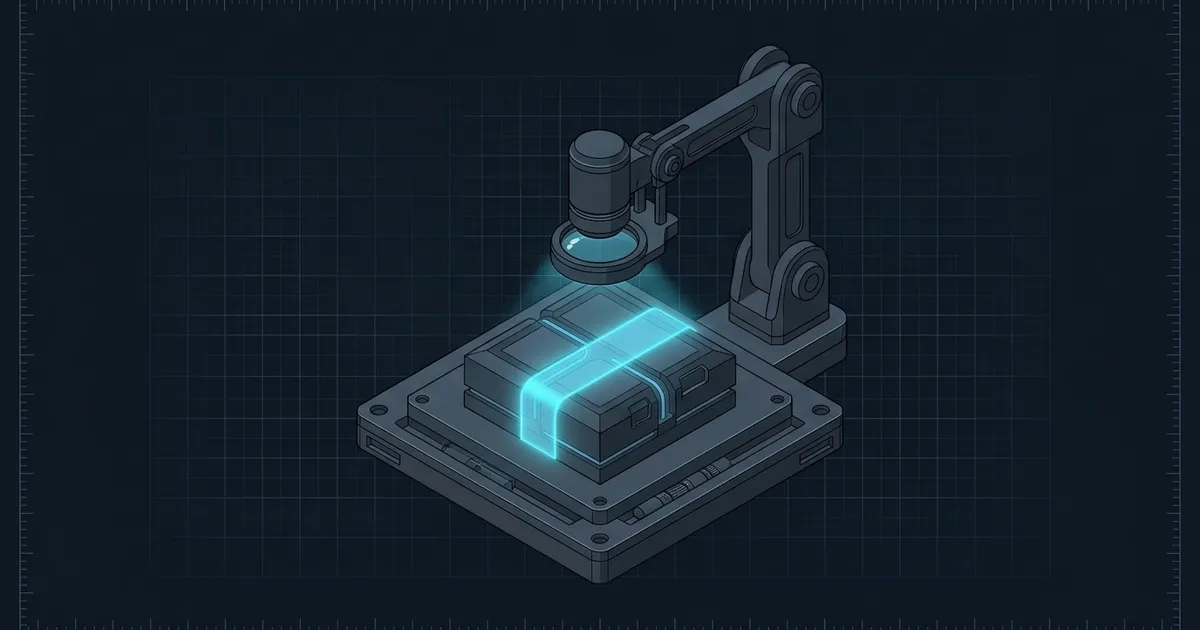
Most developers reach for an AI coding assistant when they need to generate code. The underused flip side is reaching for it when you need to review code you already wrote. A quick AI review pass before you open a pull request costs you two minutes and reliably surfaces the class of bugs that human reviewers miss because the code looks plausible on first read.
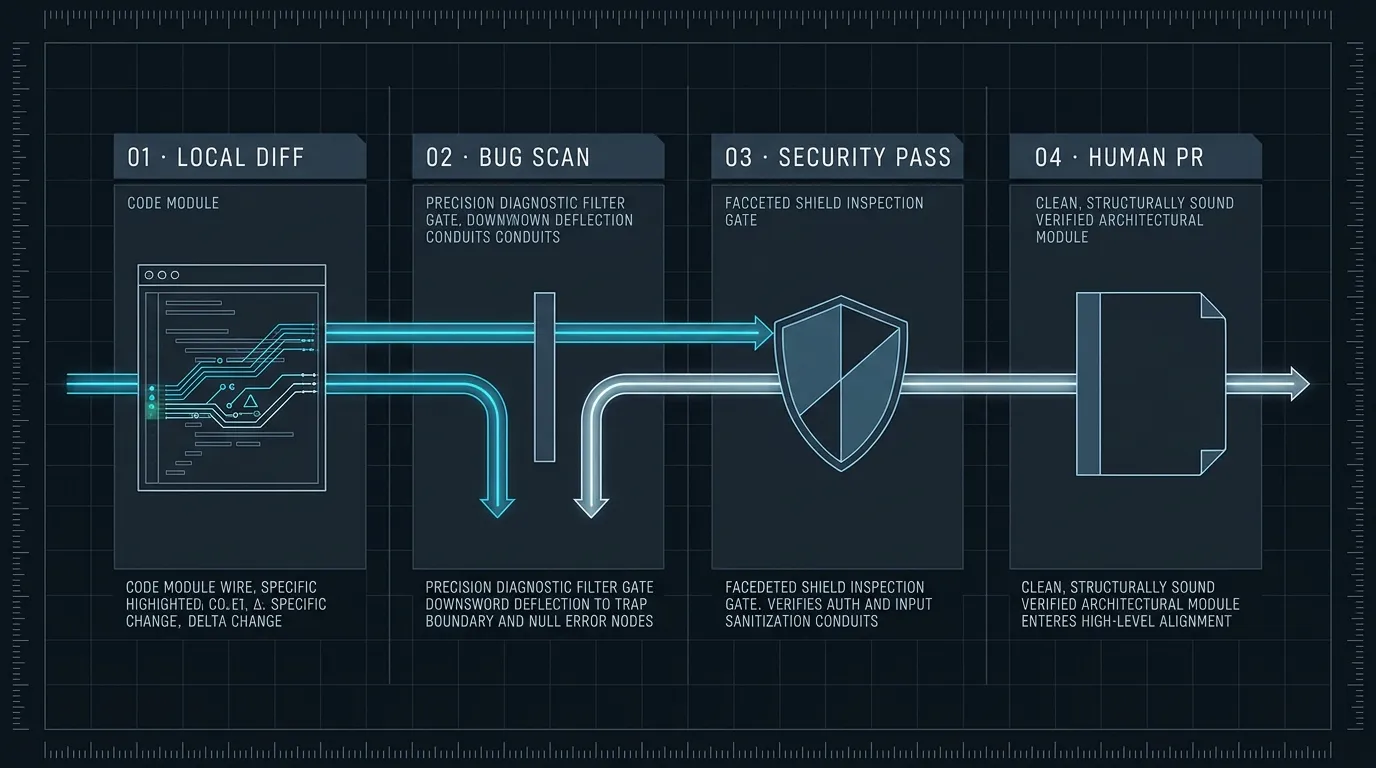
This isn’t about automating code review — it’s about using AI as a fast, opinionated first reader before real eyes land on your diff.
Why it works
Human reviewers are good at architecture, naming, and team-convention checks. They’re worse at the mechanical stuff: edge cases the happy path doesn’t exercise, null dereferences on the less-traveled branch, an off-by-one that only shows up at scale. These are exactly the things a language model excels at because they’re patterns it has seen thousands of times.
The practical result is a kind of review division of labor. Let AI catch the mechanical bugs. Reserve human review time for judgment calls: is this the right abstraction? Does this fit the codebase’s patterns? Should this even exist?
The prompt that gets real feedback
The default “review this code” prompt is too vague. You’ll get a paragraph of generalities and a thumbs-up. The prompts that produce actionable feedback are specific about what to look for.
Review this code for bugs and correctness issues only. Specifically check:
- Off-by-one errors and boundary conditions
- Null / undefined access on variables that could be absent
- Unhandled error cases and silent failures
- Incorrect assumptions about input shape or range
- Race conditions if the code is async

For each issue, give me the line number, what's wrong, and a one-line fix.
Do not give style feedback. Do not suggest refactors unless they fix a bug.
The constraints at the end matter as much as the questions. Without them, AI reviewers tend toward verbose style commentary. “Don’t give style feedback” steers attention toward actual bugs.
Run this first. If you also want security feedback, ask for it in a separate prompt:
Review this code for security issues only:
- Any user input used in queries, shell commands, or HTML without sanitization
- Auth checks that run after data access instead of before
- Hardcoded secrets, tokens, or internal paths
- Overly permissive CORS or access control settings

Same format: line number, issue, one-line fix. Skip anything that isn't a security concern.
Separating concerns into different prompts keeps each one focused. A combined prompt for bugs + security + style produces diluted feedback on all three.
A complete example
Here’s what a review exchange looks like in practice. Say you’ve written a route handler for a file export:
export async function handleExport(req: Request, res: Response) {
  const { userId, format } = req.body;
  const user = await db.users.findOne({ id: userId });
  const data = await db.exports.findAll({ userId: user.id });

  if (format === "csv") {
    const csv = toCSV(data);
    res.setHeader("Content-Type", "text/csv");
    res.send(csv);
  } else {
    res.json(data);
  }
}
Paste this with the bug-focused prompt above and you typically get back:
Line 4:
useris not null-checked before accessinguser.id. IffindOnereturnsnull(user not found or deleted), this throws a runtime error. Fix: addif (!user) return res.status(404).json({ error: 'User not found' })after line 3.Line 1:
userIdfromreq.bodyis used directly as a database query parameter without validation. IfuserIdis not a valid UUID or integer, behavior is undefined and may leak data from adjacent rows depending on the ORM. Fix: validateuserIdmatches the expected shape before the query.
Both of these are real bugs. Neither is obvious at a first read because the happy path — valid userId, user exists, format is csv — works fine.
What AI reviewers catch well
The pattern above holds across different code types. AI review is most reliably useful for:
Null/undefined dereferences. It traces every path where a variable might be absent and flags accesses that assume it’s present. This is mechanical work that’s tedious for human reviewers but trivial for a model.
Missing error handling. Promises that aren’t caught, async functions where a thrown error would bubble up silently, database calls with no error path.
Off-by-one and boundary conditions. Array indexing at length instead of length - 1, comparison operators that miss the equal case, loops that run one too many or one too few iterations.
Assumptions about input shape. If you wrote code that assumes an array is non-empty or a number is positive, it often catches that the assumption isn’t validated.
What AI reviewers miss
Don’t treat AI review as a replacement for testing or human judgment on:
Business logic correctness. The AI doesn’t know what your discount calculation is supposed to do. It can tell you if a variable is null; it can’t tell you if the formula is wrong.
Cross-file consistency. It only sees what you paste. If the function you’re reviewing depends on a contract established in another module, the AI won’t know whether that contract is satisfied.
Concurrency and distributed-system bugs. The model will sometimes flag obvious race conditions, but subtle ones involving shared state across services or database-level race conditions are reliably missed.
Performance. Unless there’s a glaringly obvious N+1 query or an O(n²) loop in plain sight, the model won’t spot latency regressions. Use profiling tools for that.
Fitting this into your workflow
The easiest integration is pre-commit: before you write your commit message, paste the diff into an AI session with the review prompt. Two minutes of feedback before the code is committed is worth ten minutes of discussion after it’s in a PR.
If you’re using Claude Code or a similar agent with file access, you can be more direct:
Read src/routes/export.ts and give me the bug-focused review above.This is faster than pasting manually and works well for larger files where selecting the right diff context is tedious.
For teams using GitHub Actions, it’s also possible to add an automated AI review step on PRs. The output is noisier than an interactive session — you lose the ability to ask follow-ups — but it still catches the mechanical bugs before human review time is spent.
Reading the feedback critically
AI code review has a false positive rate. It will sometimes flag code that’s actually correct because it can’t see the invariants your broader codebase maintains. A few habits for reading AI feedback well:
Default to investigating, not accepting. When the AI flags a potential null dereference, check whether there’s actually a code path where that variable is null. Don’t add a null check just because it was flagged — understand whether the bug is real.
Ask for a reproduction. If a flagged issue isn’t obvious, ask the model to show you an input that would trigger it. “Show me a specific request body that would cause this to fail” either produces a real example or reveals the model is pattern-matching rather than reasoning.
Ignore style findings. If you constrained the prompt correctly, there shouldn’t be any. If they appear anyway, skip them — your linter and team conventions handle style, not an AI reviewer.
The discipline is similar to the one in Evaluating AI-Generated Code Before It Ships: the model flags plausible issues, and your job is to verify whether each one is actually real. The difference is the direction — here you’re verifying AI findings about your code rather than verifying the code itself.
The review that almost always pays off
There’s one prompt worth running on almost every non-trivial piece of code before it ships:
List every assumption this code makes about its inputs, callers, or environment
that isn't validated or enforced. Be specific — name the variable and what
assumption is being made. Skip assumptions that are already checked.
This doesn’t produce a bug report — it produces a list of load-bearing assumptions. Some of those assumptions are correct and you can verify them quickly. Others reveal that you wrote code that works as long as nothing goes wrong, which is exactly the kind of thing that breaks in production.
The model can’t tell you which assumptions are safe. You can. But you need the list first.
For the deeper discipline around what to ask for and how to structure prompts for consistent results, Prompt Engineering Patterns That Survive Production covers the underlying technique. And if you’re building an automated review loop rather than an interactive one, Build Your First AI Agent in TypeScript shows how to wire AI calls into a repeatable workflow.