Upgrading Dependencies with AI: A Systematic Migration Workflow
How to use AI coding assistants to navigate major library upgrades — feeding changelogs, mapping the breaking change surface, and validating the result.
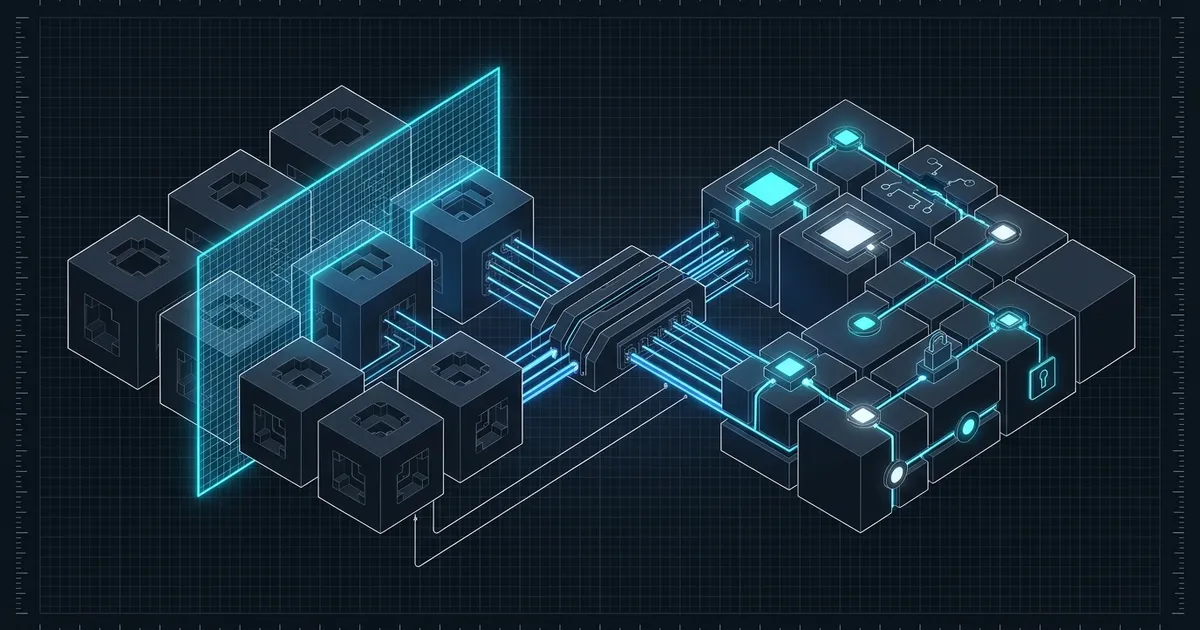
Major version upgrades are some of the most time-consuming work in a codebase. Breaking changes are scattered across changelogs, the model may know the old API better than the new one, and validating the result requires running a real build — not just reading code.
AI coding assistants can dramatically cut this time, but the approach matters. Dumping the codebase at the model and asking “upgrade to v5” produces inconsistent results. The more effective pattern treats the upgrade as a structured workflow: map the surface, migrate incrementally, and validate each step.
Assume the model knows the old version, not the new one
Most AI models were trained on code from the internet, which skews toward stable, widely-deployed versions of libraries. If you’re upgrading React from v17 to v18, or moving from react-query v4 to v5, the model may confidently suggest APIs that no longer exist — or miss new patterns that replaced them.
The fix is straightforward: don’t rely on the model’s training data for the new API. Bring the migration guide to the model.
I'm upgrading from react-query v4 to v5. Here's the official v5 migration guide:

[paste the relevant sections]

Based on this guide, what are the most common patterns that changed?
What should I watch for in the upgrade?
This sounds obvious, but it matters. A model working from a migration guide it can see is substantially more accurate than one reconstructing the API from training memory. For shorter changelogs, paste the whole thing. For longer ones, paste the sections on breaking changes and the new usage patterns — you can skip the “what’s new” prose and focus on what the model needs to rewrite.
Map your exposure before you change anything
Before modifying a single file, understand how broadly the library is used across the codebase. A targeted grep is faster and more reliable than asking the model to guess:
# Find every file importing from the library you're upgrading
grep -r "from 'react-query'" src/ --include="*.ts" --include="*.tsx" -l

# Find specific hooks or methods you know changed
grep -r "useQuery\|useMutation\|useInfiniteQuery" src/ --include="*.tsx" -n
Then ask the model to annotate this list:
I'm upgrading from react-query v4 to v5. Here's the list of files using it:

[paste grep output]

For each hook and import pattern listed, tell me what changed in v5 and
what the updated pattern looks like. Focus only on breaking changes —
I'll handle cosmetic differences separately.
This produces a concrete scope for the migration. You know which files need changes, which patterns to look for, and what the correct v5 equivalent is — before you’ve touched a single line of code. This is significantly more useful than discovering breaking changes one compiler error at a time.
Migrate file by file, not all at once
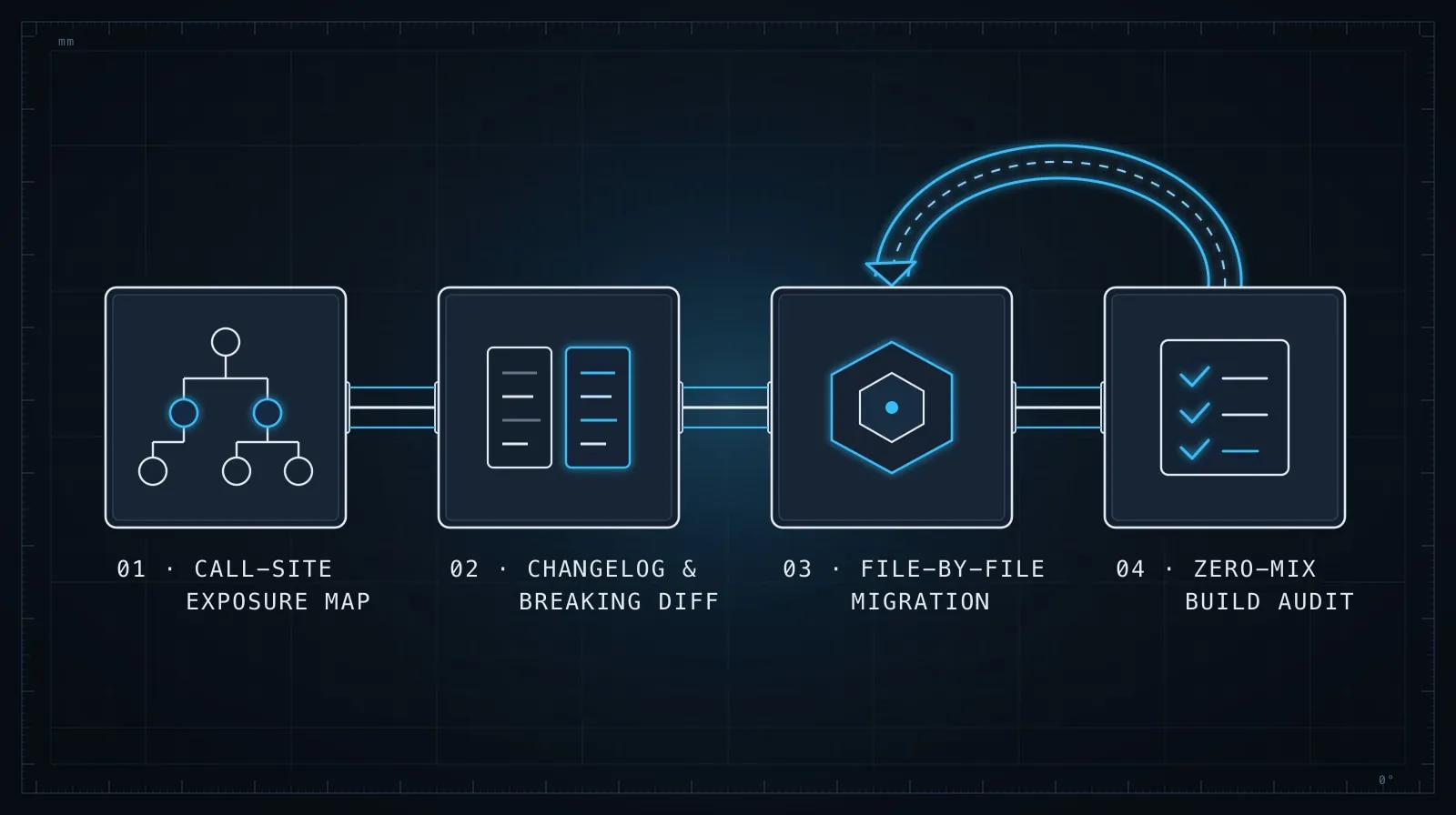
The temptation with large upgrades is to ask the model to update everything simultaneously. Don’t. Even a capable model introduces subtle inconsistencies when operating across many files at once — a v4 import left in one file, an API called with the old signature in another, a type that silently resolves to any because the new version changed the generic shape.
Instead, migrate one file per session, starting with the most self-contained modules:
Here are the key breaking changes from react-query v4 → v5:
[summary from the guide]

Here is src/hooks/useUserData.ts — please update it to v5.
Make no other changes. Flag any call where you're uncertain about
the v5 equivalent.
Two constraints in that prompt carry significant weight. “Make no other changes” prevents the model from mixing migration changes with style or refactoring changes — keeping the diff reviewable and the change auditable. “Flag where you’re uncertain” is equally important: models don’t naturally express uncertainty on code tasks. Prompting for it surfaces the cases where you need to verify the documentation yourself rather than accept the suggestion.
Check for version-mixed code after each file
After the model migrates a file, scan for mixed versions before moving to the next one. This is a common failure mode: the model updates the import and the primary hook but leaves a v4 utility or type in the same file.
# After updating a file, check for any v4-only patterns that might linger
grep -n "useQuery\|QueryClient\|QueryClientProvider" src/hooks/useUserData.ts
Verify each match against the v5 API. A QueryClient constructor called with options that no longer exist is a runtime error that may not surface until a specific code path is exercised in testing or production.
You can also ask the model to self-check:
Here is the updated file. Does it mix any v4 patterns with v5 patterns?
List any v4 usage that might have been missed.

[paste updated file]
Self-critique passes like this are cheap — a few seconds — and often catch the one thing that slipped through the initial migration pass.
What tripped me up — Josh: Early in a react-query v4→v5 upgrade I trusted the model’s memory instead of pasting in the migration guide. It confidently produced a file that mixed both versions — the import was v5, but it kept a
QueryClientoption that only existed in v4. Everything type-checked cleanly and blew up at runtime on a path we only exercised in production. Bringing the actual guide into the prompt, and grepping each migrated file for leftover v4 patterns, are both habits that came directly out of that afternoon.
Lock down behavior before you start
Major migrations are safer with a set of tests that capture current behavior before the upgrade begins. They don’t need to be comprehensive — they need to be specific to the surface that’s changing.
// Before upgrading: write a smoke test against the v4 behavior
test('useUserData fetches and returns user data', async () => {
  const { result } = renderHook(() => useUserData('user-123'), {
    wrapper: createTestQueryClient(),
  });
  await waitFor(() => expect(result.current.isSuccess).toBe(true));
  expect(result.current.data?.id).toBe('user-123');
});
Ask the model to help write these before you upgrade the package version:
I'm about to upgrade react-query from v4 to v5. Before I start, I want
smoke tests for the key behaviors in src/hooks/useUserData.ts that could
break during the migration. Write focused tests that verify the hook
works correctly with the current v4 API.
Run these tests after each file migration. A regression surfaces immediately in a small, reviewable diff rather than after forty files have changed and the origin of the failure is unclear.
Validate the build early and often
Don’t wait until all files are migrated to run the build. Run it after every three to five files. Type errors from an incomplete migration are far easier to reason about when the diff is small and the error maps clearly to a recent change.
# Type check only — much faster than a full build
npx tsc --noEmit

# Or run the full build and inspect the first errors
npm run build 2>&1 | head -60
When you hit a type error, paste it to the model with the file context and the relevant section of the migration guide. A specific error message paired with a concrete migration guide section is far more actionable than “this isn’t working” — and produces more accurate fixes.
Treat large migrations as a series of small PRs
For non-trivial upgrades, shipping in multiple pull requests keeps each review tractable and keeps the main branch in a working state throughout. A common sequence:
- PR 1: Update the package version and root client setup only. Ship with all other files unchanged to confirm the basics work — new version installs, app boots, no immediate startup errors.
- PR 2–N: Migrate subsections of the codebase file by file, grouped by feature area or directory.
AI assistants work particularly well on this incremental approach. Each PR has a focused scope, a reviewable diff size, and a clear validation path. The alternative — one large migration PR — is harder to review, harder to revert if something goes wrong, and harder to debug when a test starts failing.
The underlying principle
The model is a fast executor, not a migration expert with your codebase in memory. Its job is to apply the patterns you’ve defined — the breaking changes from the guide, the scope from your grep, the constraints you’ve set per file — consistently across many files. Your job is to supply the right context at each step, check the output against the real library, and run the build frequently enough that errors don’t accumulate.
For the review step after each file is migrated, Evaluating AI-Generated Code Before It Ships has a checklist built for exactly this — particularly the steps around verifying API calls against actual library versions and checking that error handling wasn’t dropped during the change. And for the files where the migration involved restructuring internal logic rather than just updating call sites, the discipline in Refactoring with AI applies: keep each change scoped, keep the diff reviewable, and don’t let the model drift into unrelated cleanup while it’s doing the migration work.