Using AI for Feature Flags: From First Toggle to Cleanup
How to use AI coding assistants to design, implement, test, and clean up feature flags — concrete prompts for each stage of the toggle lifecycle.

Feature flags are conceptually simple — wrap code in an if statement — but they touch more of the codebase than you’d expect. A flag in a new checkout flow might need to be threaded through route handlers, component props, analytics events, and test fixtures. The wrapping is mechanical, the cleanup is tedious, and both are exactly where AI coding assistants earn their keep.
Here’s how to use AI effectively at each stage of the feature flag lifecycle.
Designing the flag system
If you’re adding feature flagging to a project that doesn’t have it yet, start with a design conversation rather than asking AI to write code immediately. Give it your stack and constraints:
We need to add feature flags to a Next.js 15 app with Postgres.
Requirements:
- Boolean flags only for now, no multivariate
- Flags evaluated server-side in route handlers
- User-level targeting (not just global on/off)
- Persistent overrides for internal testing (stored in a flags table)
- No external flag service dependency for now

Propose a data model and a getFlag(flagKey: string, userId: string)
function signature. Design only — no implementation yet.
Asking for a “function signature” — not the full implementation — forces the AI to produce a design you can review before any code is written. This is the task decomposition principle from Task Decomposition for AI Coding Agents: design first, implement second.
What to verify in the proposal before moving on:
- Does it add unrequested complexity (percentage-based rollouts, you didn’t ask for)?
- Does the targeting model match how you actually segment users?
- Does the query strategy make sense for your expected flag evaluation frequency?
Lock the interface before the implementation. Once getFlag(flagKey, userId) → Promise<boolean> is agreed on, everything else follows from it.
Wrapping existing code in a flag
This is where AI saves the most time. You have an existing feature, and you need to guard it behind a flag. The prompt pattern that works consistently:
Wrap the new checkout flow in a feature flag called "new_checkout".

Flag evaluation: call getFlag("new_checkout", userId) from src/lib/flags.ts.
When the flag is false, fall back to the existing checkout at /checkout/legacy.

Files to modify:
- src/app/checkout/page.tsx (route entry point)
- src/components/CheckoutFlow.tsx (main component)

Constraints:
- Do NOT change the existing checkout logic — only add the conditional
- Do NOT thread the flag deeper than the page level — CheckoutFlow
  receives it as a prop
- Do NOT import getFlag inside CheckoutFlow itself
The constraints do most of the work here:
“Do NOT change the existing logic” is critical. Without it, the AI treats the task as an opportunity to improve things while adding the flag. You want zero unrelated changes in this diff — the flag addition and any improvements are separate reviews with separate risk.
“Only add the conditional” scopes the task to the wrapping, nothing else.
“Do NOT thread deeper than X” keeps the flag at the layer you chose. Flags have a tendency to proliferate: once one component accepts a flag prop, another component in the tree “needs” it too, and suddenly the flag is in six places instead of one. Specify the ceiling.
After the AI produces the wrapped version, read the diff adversarially: is the existing checkout path bit-for-bit identical? Is the flag evaluation in exactly the location you specified, and nowhere else? Run both flag states before accepting.
Writing tests for both flag states
Tests for flagged features are the part developers most often skip. You find out a flag was broken in the wrong direction only after a production rollout. Ask for both paths explicitly:
Write tests for src/app/checkout/page.tsx covering:
1. getFlag("new_checkout", userId) returns true → renders CheckoutFlow
2. getFlag("new_checkout", userId) returns false → renders legacy checkout

Mock getFlag from src/lib/flags.ts — do not hit the database.
Use Vitest. Test file: src/app/checkout/page.test.tsx.
The explicit mock instruction matters. Without it, the AI often adds a test database setup, or omits the mock entirely and creates environment-dependent tests. Keeping the mock shallow — just getFlag returning a boolean — keeps the tests fast and their intent obvious.
The two-test structure also acts as a guard during cleanup. When you remove the flag later, you’ll delete the flag=false test and promote the flag=true case to the unconditional path. Tests that document both states make cleanup deliberate rather than accidental.
Auditing flag usage before changes
Before modifying a flag’s behavior — changing its default, updating targeting logic, or starting cleanup — you need a complete picture of everywhere it’s used. AI accelerates this:
I need to audit all usages of the feature flag "new_checkout" before removing it.

1. List every file that imports or calls getFlag with the key "new_checkout"
2. For each file, describe what behavior the flag is gating
3. Identify test files that mock this flag

I want the full usage picture before touching anything.
This produces a map you review before writing a single line. It’s especially valuable in monorepos or large codebases where a grep finds 20 files but won’t tell you which ones are the critical path vs. analytics instrumentation vs. A/B test logging.
What went wrong before I started doing this: We shipped a flag cleanup that removed the check in the route handler but missed a matching check in the analytics event tracking. The flag was gone, the new flow was live, but analytics kept logging the old event name for two weeks because the second flag check hadn’t been found. An audit pass would have surfaced both usages in 30 seconds.
Review the audit output carefully. The AI will enumerate files, but it won’t always know which ones are risky to change. That judgment is yours.
Cleaning up after full rollout
Once a flag is at 100% rollout and there are no override cases left, it’s dead code. Cleaning it up is mechanical but tedious — conditional wrappers, prop threading, test mocks, possibly database rows. Hand this to AI with the audit output as context:
Remove the feature flag "new_checkout" from the codebase.
The flag has been fully rolled out — treat getFlag("new_checkout") as
always returning true.

Steps:
1. Remove the getFlag call and the conditional wrapping
2. Remove the fallback path (the legacy checkout branch)
3. Remove the flag prop from CheckoutFlow
4. Update tests: remove the flag=false test cases; keep the flag=true
   logic as the unconditional path

Files (from the prior audit):
- src/app/checkout/page.tsx
- src/components/CheckoutFlow.tsx
- src/app/checkout/page.test.tsx

Do NOT delete the legacy checkout files themselves — that's a separate
cleanup task.
The last constraint is deliberate. Flag removal and legacy file deletion carry different risk profiles. The flag removal can be merged and deployed immediately. The legacy file deletion is riskier — are there direct links to /checkout/legacy anywhere? Is there an admin override that still uses it? Keeping them separate lets you confirm the flag removal is clean before you delete the fallback.
After the cleanup, the diff should look like a simplification: conditional branches gone, prop removed, test case deleted. If the AI added anything new, that’s a signal something went wrong with the scope.
The shape of a good flag task at every stage
Each stage of the flag lifecycle — design, wrapping, testing, audit, cleanup — follows the same structure: explicit file boundaries, a statement of what must not change, and a verifiable exit condition (tests pass with both states, or the audit lists N files, or the diff shows only removal).
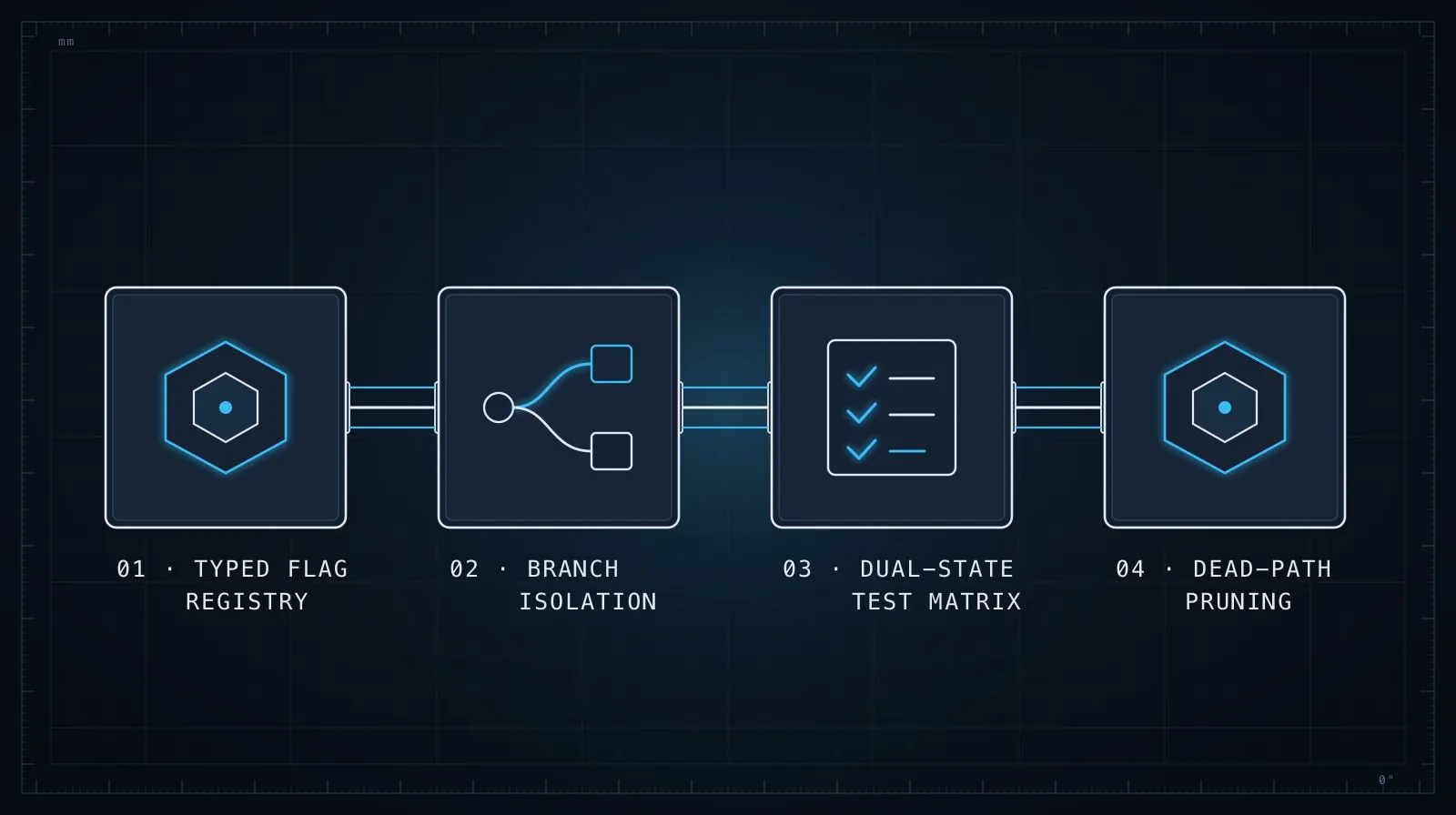
What AI handles well here is the mechanical threading: finding every conditional that needs updating, propagating a prop removal through a component tree, pruning dead test cases. What you supply is the scope and the constraints. The AI expands without them.
One practical discipline that helps: keep each flag stage as a separate commit, not one large “feature flags” commit. When the audit catches something you missed, a focused commit history makes it easy to amend or revert just the wrapping without touching the test changes.
For keeping the scope constraints stable across a multi-stage session — so the AI doesn’t start second-guessing earlier decisions by the time you reach cleanup — the techniques in Managing Context in Long AI Coding Sessions apply directly.
Feature flags are one of the places where AI coding assistants deliver reliable time savings, because the work is well-defined and easy to verify at each step. The developer who specifies the scope precisely gets the mechanical work done fast and keeps the risky judgment calls in human hands — which is exactly how this division of labor should work.