Constraining AI to Your Codebase Patterns
AI defaults to generic patterns from its training data. Here's how to anchor generated code to your existing conventions — with examples, explicit constraints, and a drift-detection review.

Ask an AI coding assistant to add an API route to a codebase that uses Fastify, and there’s a decent chance it reaches for Express-style middleware. Ask it to write a React component in a project that uses compound components, and it produces a flat component with a pile of props. Ask it to add a database query in a Drizzle project, and it writes Prisma syntax.
None of this is a hallucination — the model isn’t confidently wrong about a fact. It’s defaulting to its training distribution. The most common pattern in its training data wins, and your codebase’s conventions lose. The result compiles (sometimes), integrates awkwardly, and gradually erodes consistency across the codebase as more AI-generated code accumulates.
The fix isn’t a different model. It’s changing what you give the model to work from.
Why AI reaches for generic patterns
A language model generates the most statistically probable continuation for the context it receives. When the context is “add an API route that returns user data”, the most probable continuation is shaped by every API route example in its training data — which skews heavily toward the most widely-used patterns: Express, Prisma, Axios, class components, try-catch at the top level of route handlers.
Your codebase’s specific choices — the middleware pattern you spent three months refining, the error-wrapping convention that makes your logs readable, the data-access layer shape that keeps your tests fast — are minority patterns in the model’s training data. Without explicit anchoring, they simply don’t show up in generated code.
The good news is that models respond well to anchoring. You don’t need to explain your entire architecture — you need to give the model the right examples and constraints to work from.
Anchor with a live example
The single most effective technique is to paste a real example from your codebase alongside the request. Not a description of the pattern — an actual instance of it.
Add a POST /api/invites route following this existing route as a template:

--- src/routes/members.ts ---
export const membersRoutes: FastifyPluginAsync = async (app) => {
  app.post<{ Body: CreateMemberBody }>(
    "/api/members",
    { schema: { body: CreateMemberBodySchema } },
    async (req, reply) => {
      const result = await memberService.create(req.body);
      return reply.code(201).send(result);
    }
  );
};

The new route should use the same structure: Fastify plugin, inline Zod schema,
service call, typed reply. The invite service already exists at src/services/invites.ts.
The example does more than describe a pattern — it shows the exact import style, the service-call convention, how body types are wired, and how responses are sent. A prose description of those same conventions would be longer and less reliable.
When picking an example to provide, favor a file that’s representative rather than unusual. If you have one route that uses a one-off pattern to handle a legacy endpoint, don’t use that as your anchor. Use the route that looks like what you want the new code to look like.
Name what you use explicitly
When the relevant example is too long to paste inline, or when the task touches multiple layers of the stack, use an explicit stack declaration at the top of your prompt:
## Stack constraints for this task
- Router: Fastify with fastify-plugin — NOT Express, Koa, or Hapi
- ORM: Drizzle — NOT Prisma, Sequelize, or TypeORM; queries in src/lib/db/
- Validation: Zod schemas — NOT Joi, Yup, or class-validator
- Error handling: wrap and rethrow as AppError subclasses — NOT raw throws
- HTTP client: native fetch — NOT Axios, got, or node-fetch
- Testing: Vitest — NOT Jest
This looks verbose, but it’s doing something specific: it’s naming the wrong answers as well as the right ones. “Use Drizzle” is less precise than “Use Drizzle, not Prisma” — the model knows what Prisma syntax looks like, and telling it not to use Prisma is a stronger signal than an implicit assumption that it knows your preference.
The “NOT” list is especially useful for patterns where there’s a dominant default. Axios has strong gravity in training data — explicitly excluding it prevents the model from reverting to it when you’re not watching. The same applies to Jest vs Vitest, Prisma vs Drizzle, and any other pair where one tool significantly outweighs the other in training frequency.
Constrain what the task must not do
Beyond naming the right patterns, explicitly constrain what the generated code shouldn’t introduce:
## Constraints
- Do not add new npm dependencies — use only what's already in package.json
- Do not modify existing types in src/types/ — extend them if needed, never change them
- Do not introduce a new abstraction layer — add to the existing service pattern
- Do not use optional chaining as a null-suppression mechanism — throw explicitly
These negative constraints catch a specific category of drift: the “helpful” expansion where the model sees an opportunity to improve something adjacent to what you asked for. AI coding assistants have a tendency to refactor nearby code while completing a task, introduce a utility they think the project needs, or reach for a library that would “simplify” the implementation. All of this is drift.
“Do not add new npm dependencies” is worth including in almost every task prompt. It’s the most common vector for unintended scope expansion, and it’s easy to miss if you’re not looking for new import statements.
Review output specifically for pattern adherence
After generating code, do a quick drift-detection pass before accepting it. This is different from a correctness review — you’re looking for pattern violations, not bugs.
A fast checklist:
Pattern adherence check:
□ New imports — are all packages already in package.json?
□ File placement — is the new file in the expected location given the project layout?
□ Naming conventions — do function and variable names match the surrounding code?
□ Error handling — does it use the existing error types/patterns, not raw throws or console.error?
□ Data access — is the query written in the project's ORM, not raw SQL or a different library?
□ Test structure — does the test file follow the project's arrange/act/assert pattern?
Most drift is visible in the first thirty seconds of review if you’re looking for it. An import of axios when your project uses fetch, a console.error in a codebase that uses a structured logger, a raw throw new Error() where the codebase expects AppError — these jump out when you’re scanning for them specifically.
If you’re using git, git diff --stat after accepting generated code tells you quickly whether the agent touched more files than it should have. More than two or three files changed on a routine task is a signal that scope expanded somewhere.
When pattern drift is actually useful
Not all drift is bad. Sometimes the model introduces a pattern that’s genuinely better than what you have, and refusing it on the grounds that it doesn’t match existing code is the wrong call.
The signal to look for is whether the drift is consistent. If the model consistently reaches for a different error-handling pattern across multiple tasks, that’s worth examining — it may be that your existing pattern is harder to use correctly than an alternative. If it introduces a utility type that three different generated files independently want to use, that’s a hint the type might be worth extracting.
The test is: would you adopt this pattern deliberately if a colleague proposed it in a code review? If yes, it’s an improvement to accept and propagate. If no, it’s noise to reject and explicitly prohibit in future prompts.
The key is making the decision consciously rather than letting it accumulate. Code review cadence is a natural checkpoint: when you spot a pattern that’s new but good, make an explicit decision to adopt it and update your constraint block. When it’s bad, add it to the “NOT” list.
Putting it together
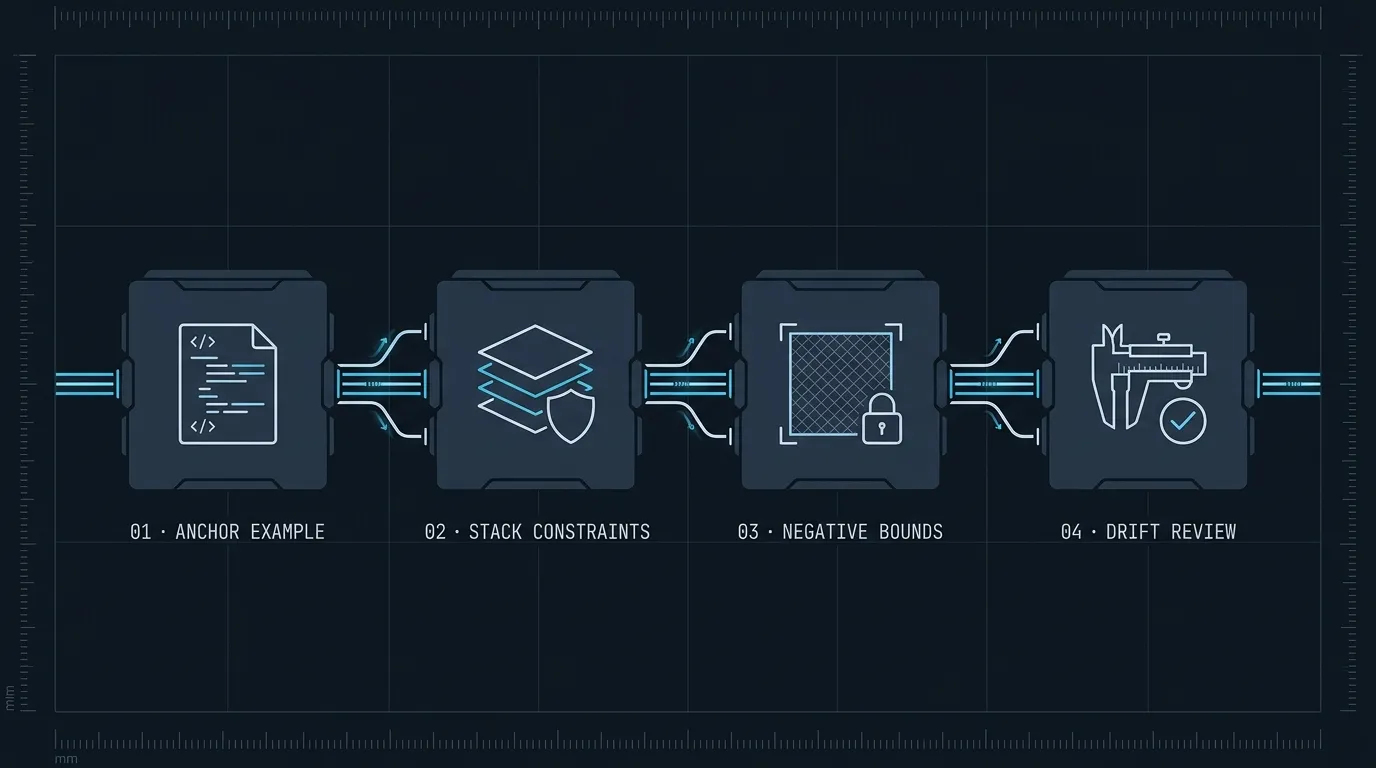
A well-constrained prompt for a concrete task looks like this:
Add a POST /api/invites/:token/accept route.

## Stack constraints
- Fastify plugin, typed with Zod body schema (see members.ts for pattern)
- Drizzle for any DB access — see src/lib/db/invites.ts for the data layer
- No new dependencies

## Do not
- Modify src/lib/db/invites.ts
- Introduce a new error type — use the existing InviteError from src/errors.ts
- Use try/catch unless wrapping a third-party call

## Reference
Paste src/routes/members.ts as the structural template.
This prompt won’t produce perfect code, but it will produce code that fits. The consistency gap between AI-generated code and hand-written code narrows significantly when the model has explicit constraints to work from rather than defaulting to its training distribution.
The underlying discipline is the same as giving a new contributor context before their first PR: you’re not assuming they know your preferences — you’re stating them. The model is a very fast, very capable collaborator that also knows ten different ways to structure an API route. Without guidance, it picks the most common one. With guidance, it picks yours.
For the complementary skill of keeping generated code architecturally consistent across a long session, see Managing Context in Long AI Coding Sessions. For establishing permanent per-project constraints that every session loads automatically, see Writing Effective Project Instruction Files.