Prompting AI to Write Testable Code by Default
How to prompt AI coding assistants to produce pure functions, injectable dependencies, and explicit interfaces — so the generated code is easy to test before you write a single assertion.

AI coding assistants write code that runs. They don’t automatically write code that’s easy to test. Left to its own defaults, an AI will reach for the simplest path to a working implementation — inline fetch() calls, singleton config reads, new Date() scattered through business logic, error handling done via throw. All of it works. None of it tests cleanly without mocking the entire environment.
The good news is that testability isn’t a post-processing step. You can steer the model toward testable patterns at the prompt stage, before any code is written. A few consistent habits produce code that’s both correct and testable by construction.
Why AI defaults to tightly coupled code
When you ask an AI to “write a function that sends a welcome email when a user signs up,” it will write something that calls your email provider’s SDK directly, reads environment variables inline, and probably logs to console.log. That’s what working code looks like in the wild, and training data is full of it.
The problem isn’t that the model is lazy — it’s that “working” and “testable” are different constraints, and unless you specify both, you only get one. Tight coupling to the environment is invisible until you try to write a unit test and realize you need to spin up an SMTP server or mock process.env in seven places.
The fix is to make your testability requirements as explicit as your functional requirements.
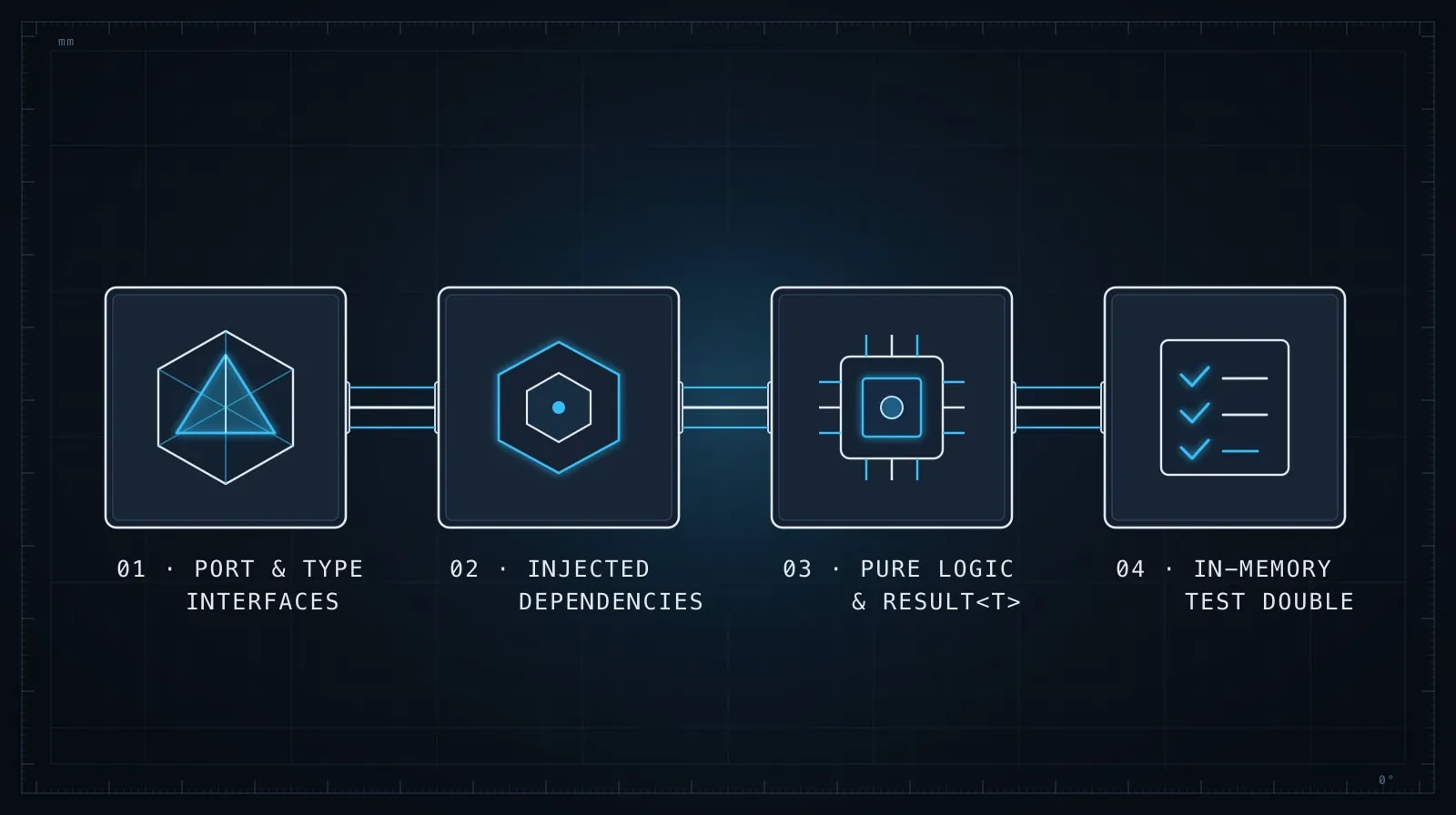
Pattern 1: Ask for pure functions by default
The most reliable way to get testable code is to ask for pure functions: functions whose output depends only on their inputs, with no side effects.
Instead of:
Write a function that applies a discount to an order and sends a confirmation email.Ask:
Write a pure function that takes an order total and a discount code, and returns the
discounted total and a discount summary. No side effects — no email sending, no logging,
no database calls. The email send will be wired up by the caller.
The result is a function you can test with a table of inputs and expected outputs, no mocking required:
// Easy to test — just call it
function applyDiscount(total: number, code: string): { total: number; label: string } {
  if (code === 'HALF') return { total: total * 0.5, label: '50% off' };
  if (code === 'TEN') return { total: total * 0.9, label: '10% off' };
  return { total, label: 'no discount' };
}
You’ll still need to wire the email send somewhere — but now the discount logic is fully isolated, and the orchestration layer (which calls both) is the only thing that needs integration-level testing.
Pattern 2: Specify your dependency injection pattern
AI doesn’t know how your project handles dependencies. If you don’t tell it, it will invent one — usually the simplest possible approach, which is often a module-level import of a concrete implementation.
Before asking for a new service or handler, tell the model what your injection style is:
Write a UserService class that handles registration and login. Use constructor injection
for dependencies. The constructor should accept:
  - db: { findByEmail: (email: string) => Promise<User | null> }
  - mailer: { send: (to: string, subject: string, body: string) => Promise<void> }
  - clock: { now: () => Date }

Do not import any concrete implementations inside the class — only accept them via
the constructor.
The explicit interface shapes in the constructor give you exactly what you need to inject test doubles:
const svc = new UserService(
  { findByEmail: async () => null },
  { send: async () => {} },
  { now: () => new Date('2026-01-15') }
);
No database connection required. No email sent. Deterministic time. This pattern also forces the model to make all external dependencies visible in the type signature — you can audit them at a glance before the implementation exists.
Pattern 3: Request types and interfaces before implementation
One of the most effective prompting techniques for testable code is to split generation into two steps: types first, implementation second.
Step 1: Define the TypeScript interface for a PaymentProcessor that processes
a charge and returns either a success result or a typed error. Don't implement
anything — just the interface and its result types.
Review what the model produces. At this stage it’s cheap to spot a dependency that leaked into the interface signature, or a missing error case. Once the interface is settled:
Step 2: Implement PaymentProcessor using the Stripe SDK. The interface is:
[paste the approved interface]

Inject the Stripe client via the constructor so it can be swapped in tests.
The interface review step is where you enforce testability contracts before they’re embedded in 80 lines of implementation. A dependency that looks wrong in an interface signature is much cheaper to fix than one discovered while trying to write a test.
Pattern 4: Ask for Result types instead of thrown exceptions
Thrown exceptions are the hardest failure path to test cleanly. You need to wrap every call in a try/catch, assert on the thrown instance, and handle the case where an unexpected error is thrown but silently passes your assertion.
Result types — a discriminated union where the function always returns, with success or failure encoded in the value — are far easier to assert on:
For all failure cases, return a Result type rather than throwing. Use this shape:
  type Result<T, E = string> =
    | { ok: true; value: T }
    | { ok: false; error: E };
Never throw inside the function — catch internally and return { ok: false, error }.
The resulting test reads directly:
const result = await createUser({ email: 'bad-email' });
expect(result.ok).toBe(false);
if (!result.ok) expect(result.error).toBe('invalid email');
No expect(() => ...).toThrow() gymnastics. No worry about the wrong error being thrown and slipping past. This pattern is especially valuable for async functions where exceptions from deep in a call chain are particularly easy to miss in tests.
Pattern 5: Ask for a test double alongside the implementation
When you ask for a new service, add one line to the prompt:
Also produce an in-memory stub of the same interface that can be used in tests.What the model returns tells you immediately whether the implementation has a clean interface. If writing the stub is hard — because the real implementation reaches into globals or side-channels the stub can’t replicate — the design needs work before you ship it, not after you’ve written 15 tests around it.
The stub is also useful immediately:
// In tests
const mailer = new InMemoryMailer();
const svc = new UserService(db, mailer, clock);
await svc.register('[email protected]', 'password');
expect(mailer.sent).toContainEqual({ to: '[email protected]', subject: 'Welcome' });
No mocking framework needed. No jest.spyOn patching module internals. Just an object that records what happened.
The closing loop: ask the model to write one test
Before accepting any generated function or class, add a final prompt step:
Now write a single unit test for the happy path of this function.
Use the same test framework as the rest of the project (Vitest).
Do not use jest.mock() or any module-level mocking — only constructor injection.
If the model produces a clean, readable test without mocking the module graph, you’re done. If it reaches for jest.mock('../../lib/db') or vi.spyOn(process.env, ...), the implementation has a dependency it isn’t injecting — and you’ve discovered it now, not after a week of tests built around the wrong abstraction.
This step also gives you the first test for free, which pairs directly with the broader testing workflow in Writing Tests with AI.
Testability is a prompt-time constraint
The pattern across all of these techniques is the same: testability requirements go in the prompt, not the post-implementation review. Once you ask for a working implementation without specifying how it handles dependencies, errors, and time, the model will make choices that are reasonable but hard to reverse — and fixing them means rereading and rewriting code that already works.
This is the same principle behind type-first design in Type-Driven AI Development: the constraints you state upfront shape the design, and the design shapes how testable the outcome is. A few extra lines in the prompt cost almost nothing; a codebase full of functions that can only be tested with global mocking costs quite a lot.
The simplest version of this practice: before sending any code generation prompt, ask yourself whether the output will be easy to unit test. If the answer is “probably not,” add the constraints before you send — not as an afterthought in the next message.