Writing Tests with AI: Getting Edge Cases, Not Just Coverage
How to prompt AI coding assistants to generate tests that actually catch bugs — edge cases, failure modes, and boundary conditions, not just happy-path boilerplate.

AI coding assistants are fast at writing tests. They’re also, by default, good at writing the wrong tests — specifically, tests that cover the easy path: valid inputs, expected outputs, no surprises. Tests that tend to pass against both the correct implementation and many obviously broken ones.
This post is about making AI-generated test suites actually useful: prompting for the cases that catch bugs instead of just confirming the happy path.
The default failure mode
When you ask an AI assistant to “write tests for this function,” you typically get:
- One test with valid input that exercises the main code path
- A few variations on valid input
- At best, one null or undefined check
Here’s a representative example. Given a simple validation function:
function validateEmail(email: string): boolean {
  const re = /^[^\s@]+@[^\s@]+\.[^\s@]+$/;
  return re.test(email);
}
A default AI-generated test suite often looks like:
test('returns true for valid email', () => {
  expect(validateEmail('[email protected]')).toBe(true);
});

test('returns false for invalid email', () => {
  expect(validateEmail('not-an-email')).toBe(false);
});

test('returns false for empty string', () => {
  expect(validateEmail('')).toBe(false);
});
Three tests. All pass against a correct implementation — but also against a buggy one that’s almost correct. The real surface area of email validation is much larger: whitespace-only strings, multiple @ symbols, unicode domains, trailing dots, embedded newlines. None of those appear above.
A false sense of security — Josh: I once let an AI generate a test suite for a validator almost exactly like this, saw fifteen green checks, and moved on feeling covered. A user later signed up with a trailing newline in their email that the regex happily accepted — and not one of those fifteen tests probed anything a naive regex would actually fail. That’s the day “every test should be one a correct implementation could plausibly fail” stopped being a nice-sounding rule and became the filter I actually apply.
Tell the model what “useful” looks like
The fix is to shift from “write tests” to a prompt that specifies what you’re looking for:
Write tests for `validateEmail`. Focus on edge cases and failure modes, not
just happy-path valid input. Think through:
- Input categories that might fail: boundary values, empty, whitespace, unicode
- Common misunderstandings of the spec (is 'a@b' valid? is '[email protected]' valid?)
- Inputs that might fool a naive regex: multiple @ symbols, embedded newlines
- Anything the implementation might handle inconsistently

Aim for 12-15 tests that cover the interesting cases, not 3 that just confirm
the function runs.
The phrase “interesting cases, not just confirming the function runs” reorients the model’s output significantly. The default optimization is toward covering-the-function; you’re redirecting it toward finding-the-bugs.
Use the adversarial tester persona
A reliable technique for generating edge-case tests is to give the model an adversarial role explicitly:
You are an adversarial tester. Your job is to find inputs that break
`validateEmail`, reveal inconsistencies, or expose behavior the developer
probably didn't intend. Assume the implementation has at least 2-3 subtle bugs.
List the test cases you'd write to expose them, and explain why each case is
interesting.
The adversarial framing shifts the model from “make the tests pass” to “try to make the tests fail.” You’ll get different cases. Often better ones.
This works because the model has absorbed a large amount of knowledge about common implementation pitfalls. Given permission to look for bugs, it looks for bugs. Without it, the default mode is completion: generate tests that demonstrate the function works.
Describe invariants, let the model generate cases
For functions with clear behavioral contracts, describe the invariants and let the model derive the test cases:
// The function under test
function clamp(value: number, min: number, max: number): number {
  return Math.min(Math.max(value, min), max);
}
Instead of asking for tests directly, describe the rules:
`clamp(value, min, max)` must satisfy these invariants:
1. The return value is always >= min and <= max
2. If value is already in [min, max], it returns value unchanged
3. When min === max, the return value must equal min
4. The function handles negative ranges correctly
5. Behavior at the exact boundaries: value === min and value === max

Generate parameterized test cases in Vitest that verify each invariant,
including boundary values at min, max, min-1, and max+1.
This produces tests structured around the spec, not around a specific implementation. An invariant-based suite tests the contract — which means it catches regressions even when the implementation changes.
Here’s the kind of output this prompt produces:
import { describe, expect, test } from 'vitest';
import { clamp } from './clamp';

describe('clamp', () => {
  test.each([
    // In range: value returned unchanged
    [5, 0, 10, 5],
    // Below min: clamped to min
    [-1, 0, 10, 0],
    // Above max: clamped to max
    [11, 0, 10, 10],
    // At min boundary: unchanged
    [0, 0, 10, 0],
    // At max boundary: unchanged
    [10, 0, 10, 10],
    // min === max: must return that value
    [5, 5, 5, 5],
    // Negative range: works correctly
    [-5, -10, -3, -5],
    // Below lower bound of negative range
    [-15, -10, -3, -10],
  ])('clamp(%i, %i, %i) === %i', (value, min, max, expected) => {
    expect(clamp(value, min, max)).toBe(expected);
  });
});
Parameterized tests from invariant descriptions are more maintainable than individually written tests, and the model fills in cases you might instinctively skip (negative ranges, boundary equality, degenerate inputs).
Ask the model to critique its own test suite
After generating an initial suite, explicitly ask for a coverage audit:
Here are the tests you just wrote:

[paste test file]

What important cases are missing? What invariants aren't verified? What inputs
could break the implementation but pass all these tests? Be specific — name
the missing input values, not just the missing categories.
The two-pass approach — generate, then critique — reliably surfaces gaps the first pass missed. The model’s critique mode is more conservative than its generation mode. Asking for specific missing inputs rather than categories forces it to be concrete instead of vague.
You’ll often get responses like: “These tests don’t cover what happens when clamp receives NaN, or when min > max — behavior that’s undefined in the spec but likely to appear in production.” Those are concrete gaps you can immediately act on.
Anchor tests to real production failure modes
For domain-specific functions, give the model the failure modes that have actually bitten you, not just the general edge case space:
Write tests for `parseInvoiceAmount`. In production we've seen these failure modes:
- Amounts with commas as thousands separators: "1,200.00"
- Currency symbols at start or end: "$150", "150€"
- Negative amounts for credit notes: "-45.00"
- Scientific notation from spreadsheet exports: "1.5E2"
- Whitespace padding from copy-paste

Write tests that confirm each of these is handled correctly, plus tests
for inputs that should be rejected: strings with letters, multiple decimals,
empty string.
Grounding test generation in real production failure modes produces a suite that’s directly useful — tests that would have caught actual bugs, not hypothetical ones.
A reusable test-generation template
For regular use, a structured prompt template makes edge-case test generation consistent:
Write tests for `[function name]` using [test framework].

Contract:
[brief description of what it should do]

Invariants to verify:
[list 2-4 behavioral rules that must always hold]

Edge cases to cover:
- Boundary values (min, max, zero, empty, null)
- Invalid or unexpected input types
- Domain-specific failure modes: [list known ones]
- Identity cases (output === input when it should be)

Format: parameterized where possible. For each test, add a short comment
explaining why it's interesting. Skip tests that only confirm the function
runs — every test should be one a correct implementation could plausibly fail.
That last instruction — “every test should be one a correct implementation could plausibly fail” — is the key filter. It forces the model to think about when a test catches something, not just when it executes.
What to do when the model is still too optimistic
Some functions are hard to test with example-based tests alone. If the model keeps producing shallow tests even with adversarial framing, shift to property-based thinking:
Instead of writing specific example tests, describe 5 properties of
`sortByDate(items)` that should hold for any valid input array. Then write
a Vitest test for each property using a few representative inputs that
verify the property.
Properties like “the returned array has the same length as the input” or “no item’s date is later than the next item’s date” are immune to cherry-picked examples. The model is good at deriving properties from function names and contracts, and properties scale to cover input space that individual examples can’t.
The underlying issue
AI-generated tests have the same risk as all AI-generated code: they look correct. A test file with fifteen tests reads as thorough. Whether those tests actually probe the interesting behavior is a separate question — one you have to ask explicitly.
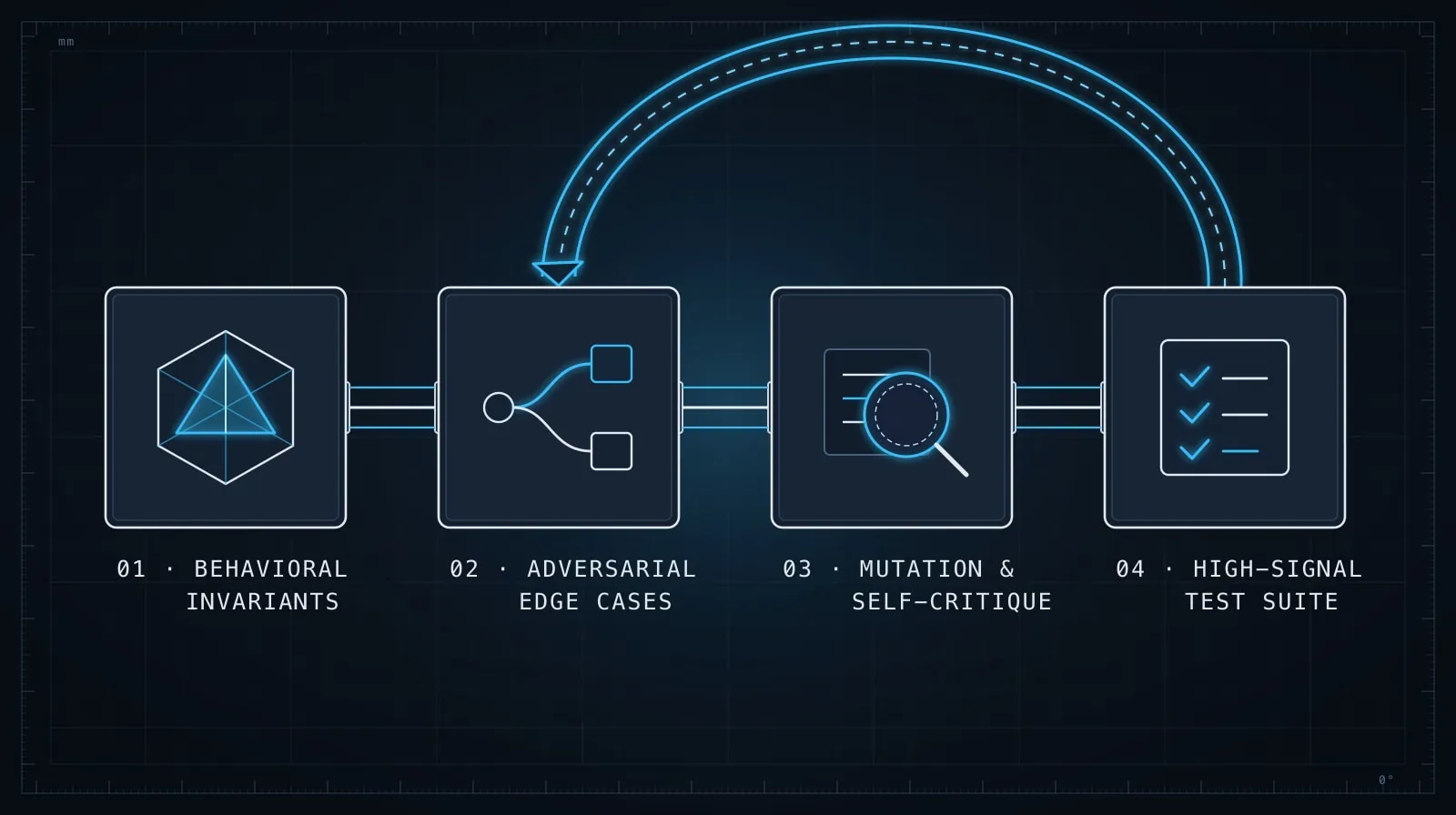
The prompting techniques here — adversarial framing, invariant-based generation, self-critique, production grounding — steer test generation toward tests that find bugs rather than tests that confirm function calls. That distinction is the actual goal.
For the code that fixes what the tests reveal, Debugging with LLMs: Give the Model What It Can’t Guess covers how to structure the session once you have a failing test and need to diagnose the root cause. And when you’re reviewing the fix itself, the checklist in Evaluating AI-Generated Code Before It Ships applies directly — tests that suppress symptoms rather than resolving root causes are the same failure mode.