AI-Assisted Git: Writing Better Commits and PR Descriptions
How to use AI to write commit messages, pull request descriptions, and changelogs that actually communicate intent — and where the workflow breaks down.
Git history is one of those things most developers treat as an afterthought. You finish the code, type git commit -m "fix stuff", and move on. Six months later someone — often you — has to understand why a change was made, and the commit log is a wall of "wip", "update", and "fix bug".
AI assistants are actually good at this specific task. They’ve absorbed enormous amounts of commit messages, PR descriptions, and changelogs, and they can turn a diff into a useful summary faster than you can write one by hand. The key is knowing what context to provide and where the default output needs editing.
The right mental model
Think of AI-generated commit messages and PR descriptions as first drafts, not finished output. The model sees the diff; it doesn’t know the why behind it — the bug report that triggered this, the constraint that made you choose this approach over another, the tradeoff you accepted.
Your job is to review the draft and add what only you know. That’s usually one sentence, but it’s often the most important sentence in the whole message.
This is different from other AI coding tasks where you’re the reviewer of generated code. Here the AI is doing the summarization work, and you’re the expert witness on context.
Writing better commit messages
The fastest way to get a useful commit message is to pipe the diff directly into your prompt. Don’t describe what you changed — show it.
# Stage your changes, then copy the diff to clipboard
git diff --cached | pbcopy
Then in your AI assistant:
Write a commit message for this diff. Use conventional commits format
(type(scope): summary). Keep the subject line under 72 characters.
Add a body paragraph only if the change needs explanation beyond
what the code shows. Focus on the intent, not just what changed.

[paste diff]
That produces something like:
fix(auth): clear session cookie on explicit logout

Previously the cookie was only cleared client-side, so reopening the
browser with the cookie still present would restore the session. Now
the server explicitly expires the cookie on the /logout endpoint.
The “focus on intent, not just what changed” instruction matters. Without it, you get:
refactor(auth): update logout handler to set cookie maxAge to 0Which is accurate but useless to anyone reading the log in the future. They can see what changed from the diff. The commit message should tell them why it had to change.
When the diff is too large
For large commits (refactors, big feature additions), the diff alone can overwhelm the model and produce a vague summary. Two better approaches:
Describe the goal, let the model format it:
I just finished implementing rate limiting on the API endpoints.
The approach: a Redis-backed sliding window counter, per-IP,
with a 100 req/min limit and a 429 response with Retry-After header.
Write a conventional commit message that captures this intent.
Break up the commit first. If the diff is logically heterogeneous — several unrelated changes bundled together — use git add -p to stage chunks separately and write a message per chunk. AI can help you find the split points:
Here's my unstaged diff. Identify the logical units — places where
I could draw a clean boundary between separate concerns for
separate commits. List them with a one-line description of each.

[paste git diff]
Writing PR descriptions that communicate intent
PR descriptions have a different job than commit messages. A commit message explains one change. A PR description explains a body of work to a reviewer who needs to understand enough context to review it efficiently.
A useful PR description answers three questions:
- What does this change do?
- Why was it needed?
- How should a reviewer approach it?
Here’s a prompt that produces descriptions covering all three:
Write a pull request description for these commits. Structure it as:

## What
[What this PR does — 2-3 sentences, focus on behavior, not code]

## Why
[The problem this solves or feature this adds — 1 paragraph]

## How to review
[Suggested starting points, areas to focus on, anything non-obvious]

Commits:
[paste git log --oneline output for the branch]

Key files changed:
[paste git diff --stat output]
The “How to review” section is the one most developers skip when writing by hand. It’s also the section that most reduces reviewer friction. When the model generates it, even a mediocre suggestion is better than nothing — it signals to the reviewer where to start.
What changed for me — Josh: I spent years writing PR descriptions that were basically a reformatted commit log. One reviewer told me he started reading my PRs from the bottom up because the description never told him anything the commit titles didn’t. Now I treat the description as a document for the reviewer, not a summary for myself. The AI draft forces that reframe — it naturally writes toward the reader because it’s synthesizing rather than regurgitating.
Adding context the diff can’t provide
After the AI produces a draft, scan it for missing context:
- Is the underlying user-facing motivation clear? (Not “updated the parser” but “users were seeing parsing errors on dates after 2030”)
- Does it mention any tradeoffs or alternatives considered?
- Are there known limitations or follow-up work to note?
A common pattern: add a ## Notes section at the end for things the diff doesn’t show — why you chose this approach over another, a known edge case you decided to defer, a dependency you’re watching.
Generating changelogs from git history
For release changelogs, the raw material is the commit history between two tags. The model is good at grouping and summarizing a commit list into user-facing language.
# Get commits since last tag
git log v1.3.0..HEAD --oneline
Convert these commits into a user-facing CHANGELOG entry for version 1.4.0.
Group changes into: Features, Bug fixes, Performance, Breaking changes.
Use plain English that a developer using this library would understand.
Skip internal refactors and CI changes that don't affect users.
Keep each entry to one line.
Commits:
[paste git log output]The “skip internal refactors” instruction is important. Without it you get changelogs full of fix: update CI workflow and chore: bump eslint that add noise for users.
The model will sometimes elevate minor changes into “Features” because the commit subject sounded like a feature. Read the output against what you actually shipped and demote anything that doesn’t rise to the level of user-visible change.
Where the workflow breaks down
When intent lives outside the diff. If the reason for a change is in a bug report, a Slack thread, or a conversation that never touched the code — the model can’t see it. In these cases you still need to write the “why” by hand. What the model provides is the “what” summary, which still saves time.
Over-explanation of obvious changes. The model sometimes adds a body paragraph to commits that don’t need one. fix: correct typo in error message needs no explanation. Skip the body instruction or explicitly include “add a body only if the change is non-obvious from the subject line.”
Large PRs with many concerns. If a PR spans schema changes, route logic, and frontend components, the model tends to produce a generic “updated X system” summary that doesn’t help reviewers. Use the commit log rather than the diff stat in the prompt — the commit messages (if they’re good) carry more signal about what’s important.
Never paste secrets. Diffs sometimes contain credentials, API keys, or tokens that accidentally made it into a file. Before pasting any diff into an AI session, scan it for anything that looks like a secret. This is the same discipline that applies to all AI coding sessions — the model’s context window is not a safe store. See the discussion in Briefing AI on Your Codebase for how to structure what you share.
A repeatable workflow
The pattern that makes this sustainable:
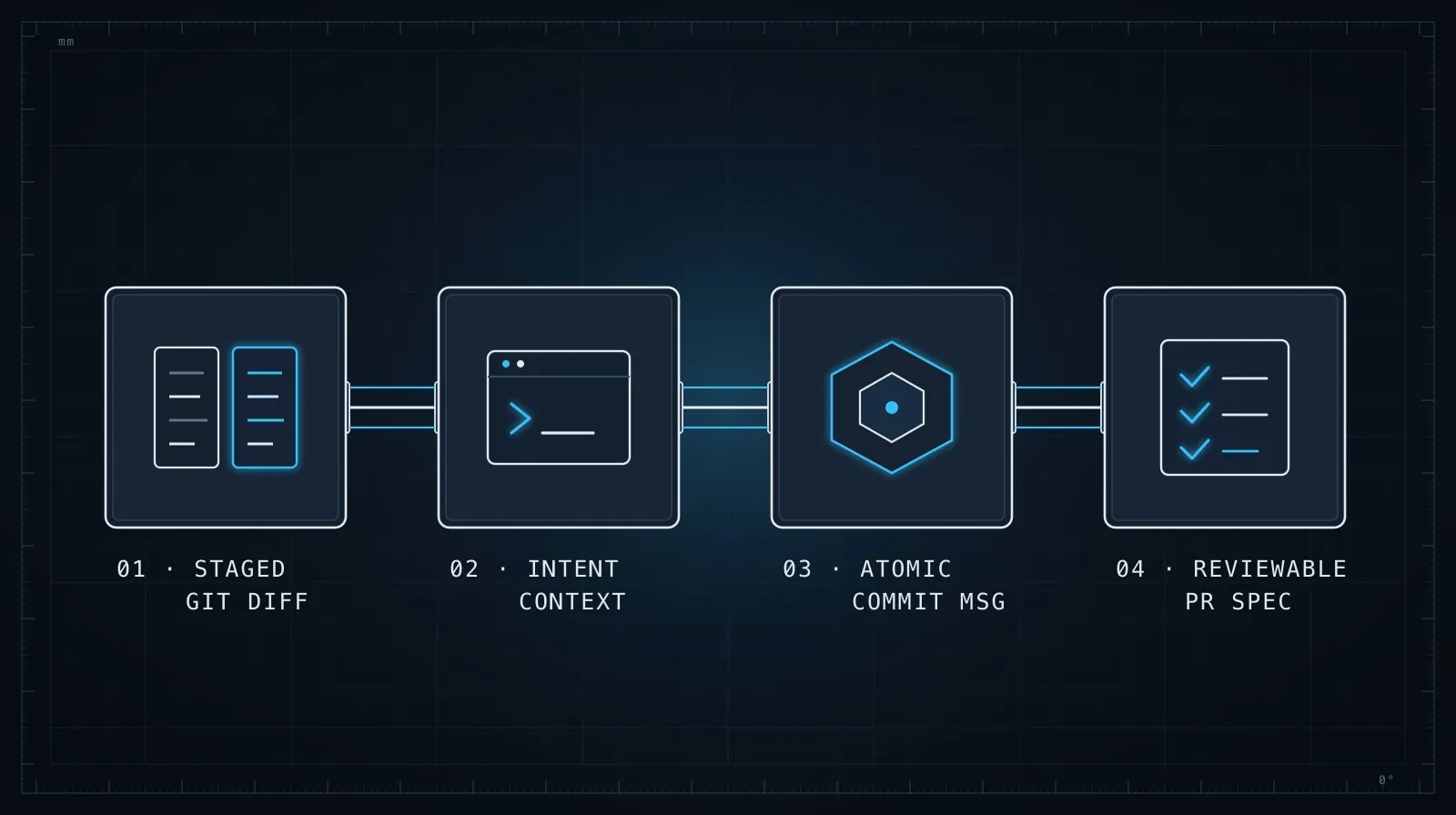
- Stage your changes normally
- Run
git diff --cached | pbcopy(or equivalent for your OS) - Paste into your AI assistant with the commit prompt template
- Read the output, add the “why” the model couldn’t see
- Use as your commit message
For PRs:
git log main..HEAD --oneline | pbcopygit diff --stat main | pbcopy- Paste both into the PR description prompt
- Add motivation and review notes before opening
The bottleneck shifts from “writing the message” to “reviewing and adding context.” That’s the right bottleneck — the work is exactly where it should be.
Git history as a communication medium
The underlying argument here is that commit messages and PR descriptions are communication artifacts, not administrative overhead. They’re the primary record of why the codebase is the way it is, and that record is most valuable under pressure — when something breaks, when you’re onboarding a new developer, when an auditor asks why a security-relevant change was made.
AI doesn’t change what makes a good commit message or a good PR description. It just removes the friction that causes people to skip them. When the cost of writing a useful message drops from three minutes to thirty seconds, you write a useful message every time.
For the prompting habits that make all of this more consistent, Prompt Engineering Patterns That Survive Production covers the framing techniques that work across different tasks. And if you’re thinking about how this fits into a larger automated workflow, Build Your First AI Agent in TypeScript shows how to wire AI tasks into a pipeline that runs without manual intervention.