Using AI to Quickly Integrate Third-Party APIs and SDKs
A practical workflow for using AI coding assistants to learn, integrate, and debug unfamiliar external libraries — without reading every page of the docs.

Integrating a third-party SDK used to mean opening the docs in one tab, copying examples from Stack Overflow in another, and spending a morning figuring out why the auth header format changed in v3. AI coding assistants change this workflow significantly — but only if you know how to use them for it. Thrown the right context, they can compress a half-day integration into an hour. Given the wrong prompt, they’ll confidently generate code for an API version that no longer exists.
The core problem: stale training data
Before anything else, understand the limitation. Your AI assistant’s knowledge of a given SDK is frozen at its training cutoff. For any library that’s moved fast in the past year — cloud providers, AI SDKs, database clients — the generated code may reference deprecated methods, removed endpoints, or changed auth flows. This isn’t a reason to avoid using AI for integrations; it’s a reason to verify what you get.
The specific failure mode to watch for: the model generates working-looking code that uses the correct library name and method structure, but calls an API signature that changed in a newer major version. It won’t look wrong at a glance. It’ll fail at runtime with a cryptic error.
The fix is to orient the model to the current version early and explicitly.
Start with the version and your actual use case
The worst way to start an SDK integration with AI:
How do I use the Stripe SDK?This produces generic boilerplate from the most common examples in training data, probably for an older version.
A better start:
I'm integrating Stripe Billing in a Node.js 22 project using [email protected] (the latest).
Use case: create a Checkout Session for a one-time payment, redirect to a hosted page,
and handle the webhook to fulfill the order. TypeScript, strict mode.

Here's the relevant section from Stripe's current changelog for v16→17 migrations:
[paste the migration notes]

Start with a minimal working example for just the Checkout Session creation.
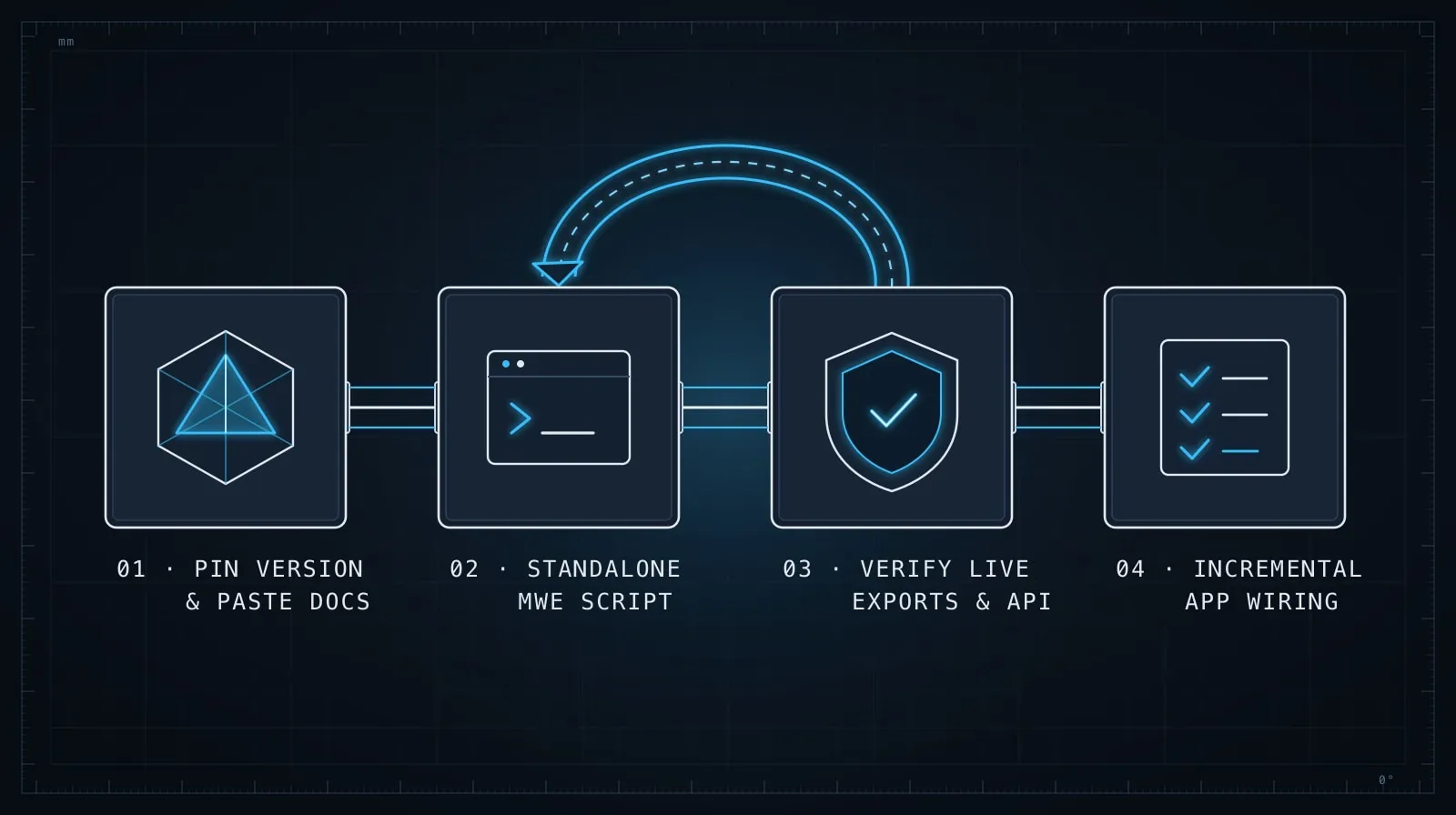
Three things are doing work here: the explicit version pin, the pasted migration notes that orient the model to what changed, and the scoped starting point (“just the Checkout Session creation”). You’re giving the model the correction data upfront rather than hoping its training covered the latest release.
You don’t always have access to the migration notes. When you don’t, the approach changes slightly — see the debugging section below.
The minimal working example first
Whatever the integration, ask for the minimum viable proof before building the full implementation. This is the same technique that works for steering a drifting AI agent back on course — prove the core idea in isolation, wire it in only after it’s verified working.
Before we build the full integration, write a single self-contained script
that creates a Stripe Checkout Session and prints the session URL.
No Express, no database, no existing project files — just a runnable
Node.js script with stripe installed. I'll run it directly with:

  STRIPE_SECRET_KEY=sk_test_... node checkout.js
The constraints matter. No framework, no existing files, just the SDK. If this doesn’t work, the problem is with the SDK setup, not with how it’s wired into your app. If it does work, you’ve proven the integration in isolation and the wiring step becomes bounded.
This script can also serve as your integration test anchor — once it runs correctly, you have a reference for the exact call shapes that work.
Feeding docs to the model
When you know the model’s training data is likely stale — a library released a major version recently, or it’s a niche SDK the model probably saw little of — the most effective approach is to paste the relevant documentation directly.
Most SDK documentation is text. Auth guides, API reference sections, migration guides — they copy cleanly. You don’t need the full docs: paste the specific section covering what you’re implementing.
Here's the current authentication documentation for the Resend SDK:
[paste relevant docs section]

Based on this, write the TypeScript initialization code and a function
to send a transactional email. The function should accept:
  - to: string
  - subject: string
  - html: string
The model can reason over pasted documentation reliably. It will synthesize a correct implementation from the docs rather than from training memory. The resulting code is grounded in the current API surface, not an older one.
If the docs are behind a web URL, tools like curl or browser fetch let you grab the raw text and paste only the relevant section. You don’t need to paste hundreds of pages — the specific section covering what you’re implementing is usually a few hundred words.
Debugging third-party errors
External APIs return errors that are often terse, poorly documented, or specific to an account/configuration state that generic docs don’t cover. AI is useful here not as a documentation replacement but as a parsing layer.
When you get a third-party error, give the model the full context:
I'm getting this error from the AWS SDK v3 S3Client:

  AccessControlListNotSupported: The bucket does not allow ACLs

My PutObjectCommand looks like this:
[paste the command config]

The bucket is in us-east-1, created last month. I want the uploaded object
to be publicly readable. What's the correct approach for S3 buckets with
ACLs disabled?
The model knows that AWS disabled ACL support for buckets created after April 2023 and that the correct approach is bucket policies instead. It surfaces this faster than a Google search that turns up three-year-old Stack Overflow answers recommending the now-disabled approach.
When the error is truly obscure — a status code with no matching documentation — tell the model that explicitly:
I'm getting HTTP 422 from this API endpoint. The documentation doesn't
describe 422 responses for this endpoint. The full response body is:
[paste response body]

What could cause this, and what should I check?
Models are decent at reasoning about ambiguous API responses because they’ve seen so many of them. They won’t always be right, but they’ll usually surface the right questions to investigate.
Validating generated SDK code before shipping
Generated integration code needs two checks that tests don’t catch on their own.
Check the method names against the current source. After the model generates your integration, verify that the methods it called actually exist in the installed version. For Node.js:
# Check what's actually exported by the installed package
node -e "const s = require('some-sdk'); console.log(Object.keys(s))"

# Or for TypeScript users, open the .d.ts file
cat node_modules/some-sdk/dist/index.d.ts | grep "^export"
If the model generated a call to client.doThing() and that method doesn’t appear in the exports, the method was either renamed or removed in the current version.
Run the minimal example first, against the real API. Test credentials are free for most services. Before integrating into your app, run the standalone script from earlier. A method that compiles and type-checks can still fail at runtime if the model used the right types but the wrong semantics — the wrong parameter order, a missing required field, or a subtly wrong authentication pattern.
Managing the model’s context across a longer integration
A full SDK integration — auth, core operations, error handling, webhooks, retry logic — often spans multiple sessions. Treat each concern as a separate session with a clean starting point, rather than one marathon session where the model loses track of what’s been established.
A useful session breakdown for a non-trivial integration:
- Session 1: Auth setup and initialization — prove credentials work, write a typed client factory
- Session 2: Core operations — the one or two API calls your app actually needs
- Session 3: Error handling and edge cases — timeouts, rate limits, specific error codes
- Session 4: Webhook handling if applicable — verification, payload parsing, idempotency
Each session starts with the finalized code from the previous one, not with a summary. Paste the actual implementation file. The model needs the real code, not a description of it.
This is the same context discipline covered in Managing Context in Long AI Coding Sessions. The principle applies just as much to third-party integrations as it does to your own features.
The mindset shift
The useful frame for AI-assisted SDK integration is: the model is a well-read colleague who read the docs once, probably not the very latest version, and hasn’t used this particular SDK in production. That colleague is still valuable — they can synthesize a plausible starting point, debug errors you’d spend time searching for, and translate what the docs say into idiomatic code. But you’d ask them to double-check anything that depends on a specific API version, and you’d run the code before trusting it.
That’s the working relationship. Use the model to compress the getting-started overhead and to triage errors you’d otherwise have to search through docs to understand. Verify that what it generates matches what’s actually installed. When you’re integrating something recent enough that training data is likely thin, paste the docs rather than hoping training covered it.
The developers who integrate third-party libraries fastest aren’t the ones who read every doc page. They’re the ones who get a working example running quickly, validate it against the real API, and build incrementally from there. AI shortens every step of that cycle — if you give it the right context to work from.